How to hide private details until guests verify
Keep an address, a PayID or a door code hidden until a guest proves it's them with a 6-digit code.
Invite links get forwarded, screenshotted and dropped into group chats. A Reveal block keeps one private detail, like your home address, a PayID or a gate code, off the page until a guest confirms a quick 6-digit code. Everyone else sees a locked card instead of the value.
-
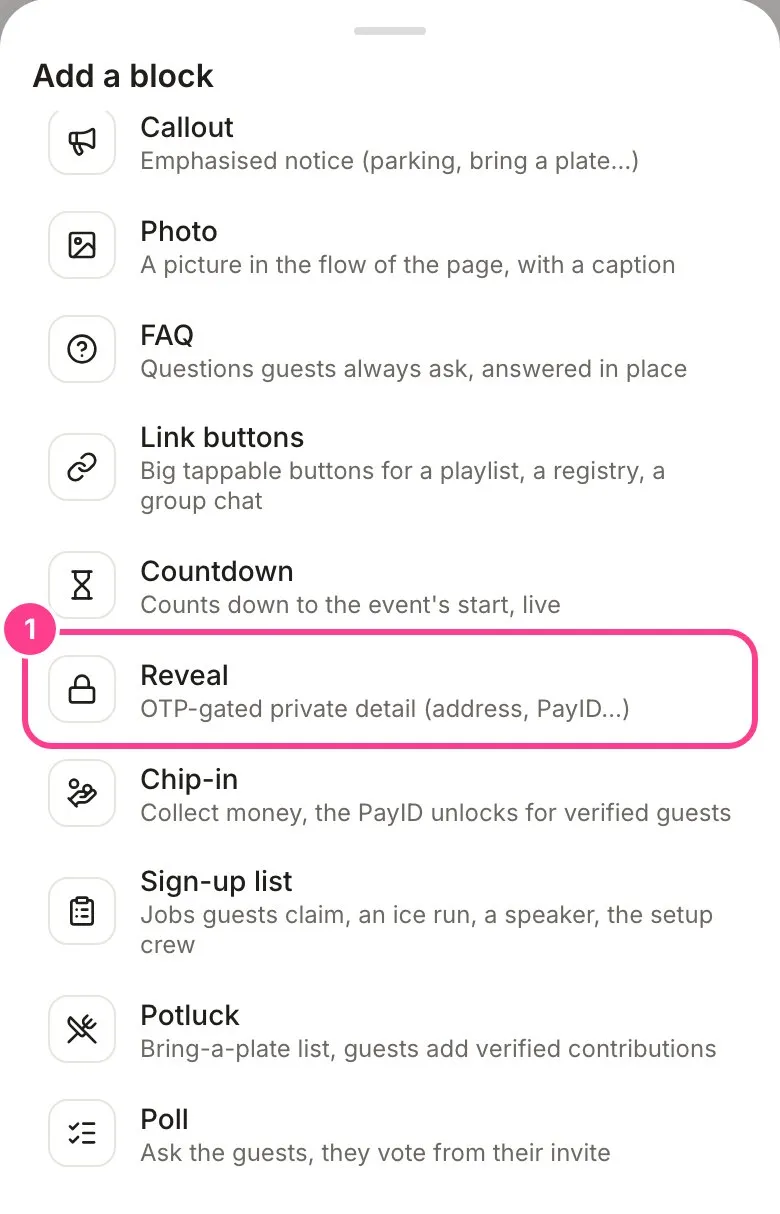
In the editor, tap a + where you want it and pick Reveal. New to blocks? See how to add and move blocks.
-
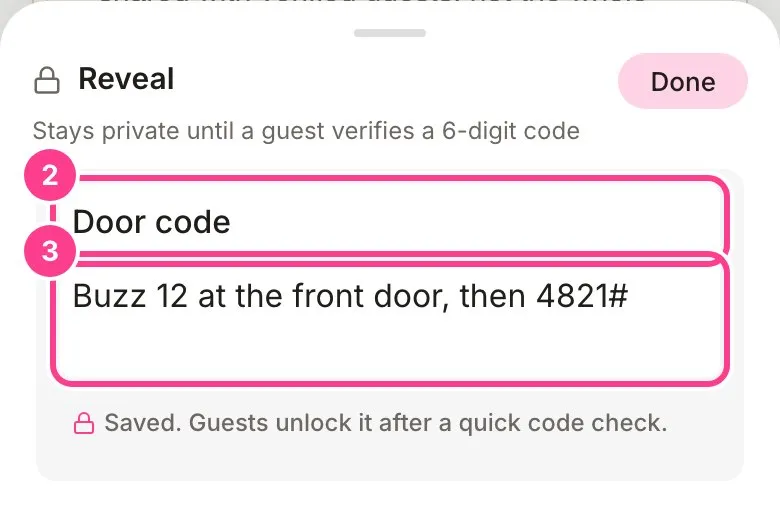
Tap the pencil on the new block to open it. Type a label guests will see, such as “Door code” or “PayID”.
-
Type the private value underneath. It saves on its own, and it can run over a few lines if you need it to.
-
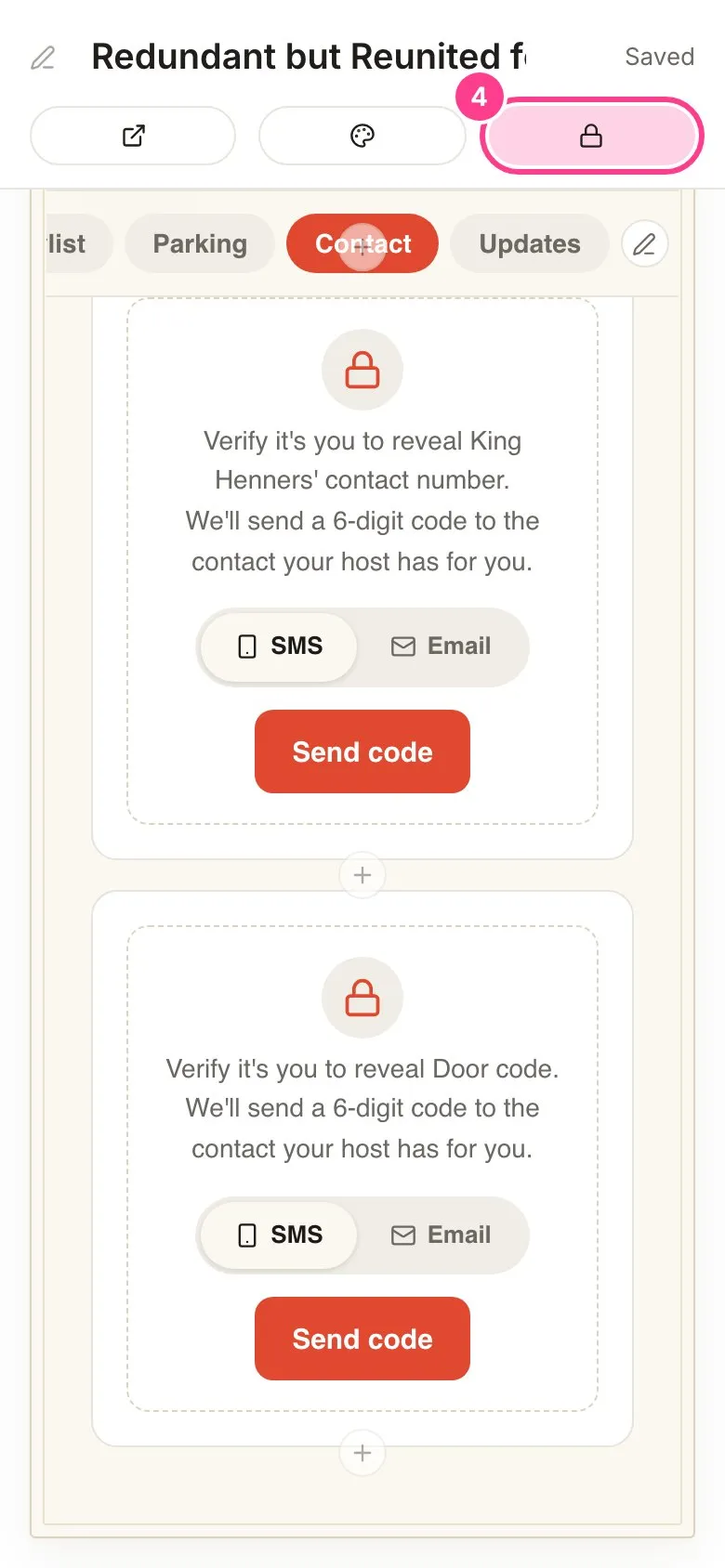
Tap Done. To check what guests see before they verify, tap the lock button (Locked view) at the top of the editor. Tap it again to go back.
How the code check works
- The code goes to the mobile or email you have for that guest, so only the person you invited can pass it. A friend holding a forwarded link can’t.
- One code unlocks everything private on the invite at once: every Reveal block, a hidden address, a locked tab, the PayID on a chip-in.
- It’s remembered on that guest’s phone or computer. If they open the invite somewhere else, they’ll be asked for a fresh code there.
- Guests never need an account. They tap Send code, type the 6 digits and they’re in.
Good to know
- A guest with no mobile or email on file can’t get a code, so their private details stay locked. Add a mobile or email to their guest entry and they can verify with the same link.
- If you change a guest’s mobile or email, they’ll need to verify again. This protects you when a number was typed wrong and a stranger got the invite.
- Text codes use your texts. Email codes are always free. To stop codes using texts, set Verification codes to Email only on the event’s Overview. With Email only, a guest you only have a mobile for can’t get a code, so add their email too. It covers people joining from your public link as well: they join with an email.
- A hidden address never goes into a guest’s calendar file, even after they verify.
- Hiding a whole page instead? See how to lock a whole tab.
Didn't answer it?
Tell us what you were trying to do and we'll write back, or give our guide to your AI assistant and ask it.