How to add an agenda or run sheet
List what's happening and when, from arrival to last drinks, or use the same block for a menu.
The Agenda block lists things in order, each with a time, a title and an optional note. It’s made for a run sheet, but it works just as well for a menu or anything else you’d list.
-
In the editor, tap a + where you want it and pick Agenda, then tap the pencil on the new block to open it. See how to add and move blocks if you’re new to blocks.
-
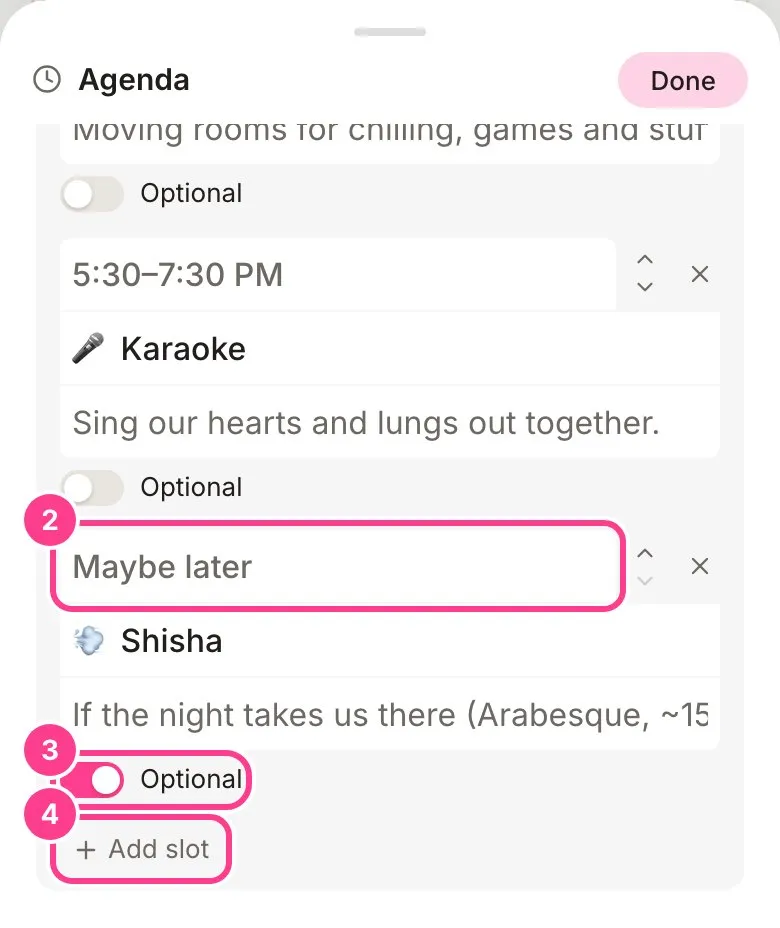
Fill in each row: a time at the top (anything goes, like “7 pm” or “Later”), what’s happening underneath, and a note if you like.
-
Something guests can skip? Switch on Optional under that row and guests see it marked as optional.
-
Tap Add slot for another row. Use the arrows to move a row up or down. To remove one, tap its cross, then tap it again to confirm. Tap Done when you’re finished.
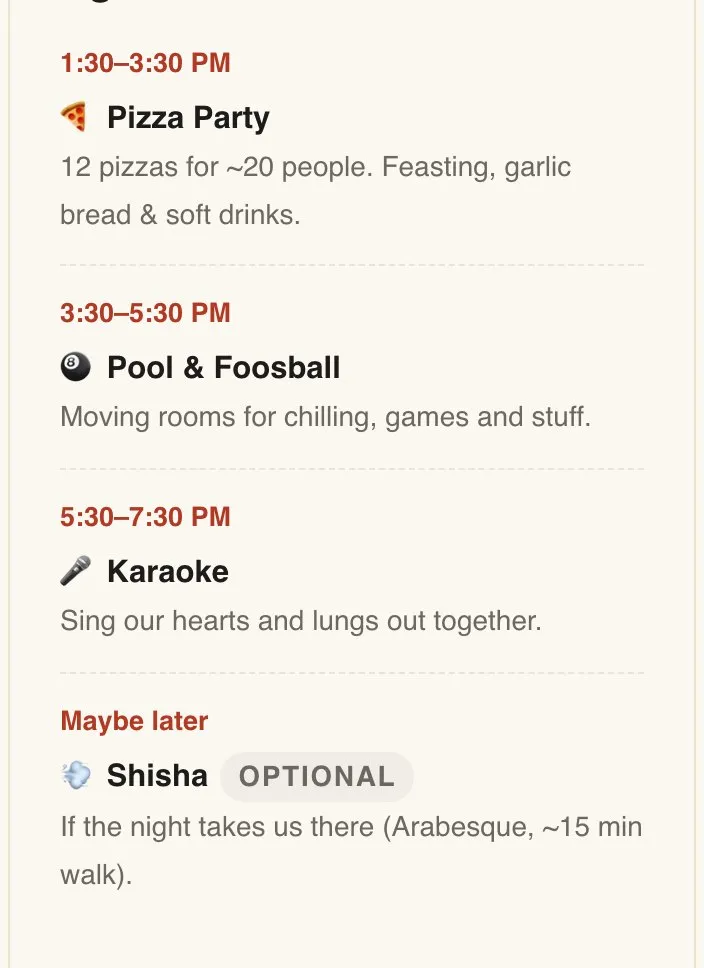
Here’s how the agenda looks to guests.
Good to know
- Times are plain text, so “Arvo”, “From 6” or “TBC” are all fine.
- The agenda looks after its own styling. Changing your theme restyles it to match.
- A long run sheet can live on its own tab so the front of your invite stays short. See how to add a tab.
Didn't answer it?
Tell us what you were trying to do and we'll write back, or give our guide to your AI assistant and ask it.