How to see who's opened your invite and what they've done
See who has opened their invite, when, and how guests are voting, chipping in, claiming jobs and bringing plates.
Every guest gets their own link, so HeadsUp can tell you who has actually opened their invite, not just who you sent it to. And when your invite has a poll, a chip-in, a sign-up list or a potluck, the Activity tab gathers what guests have done in one place.
Who’s opened it
-
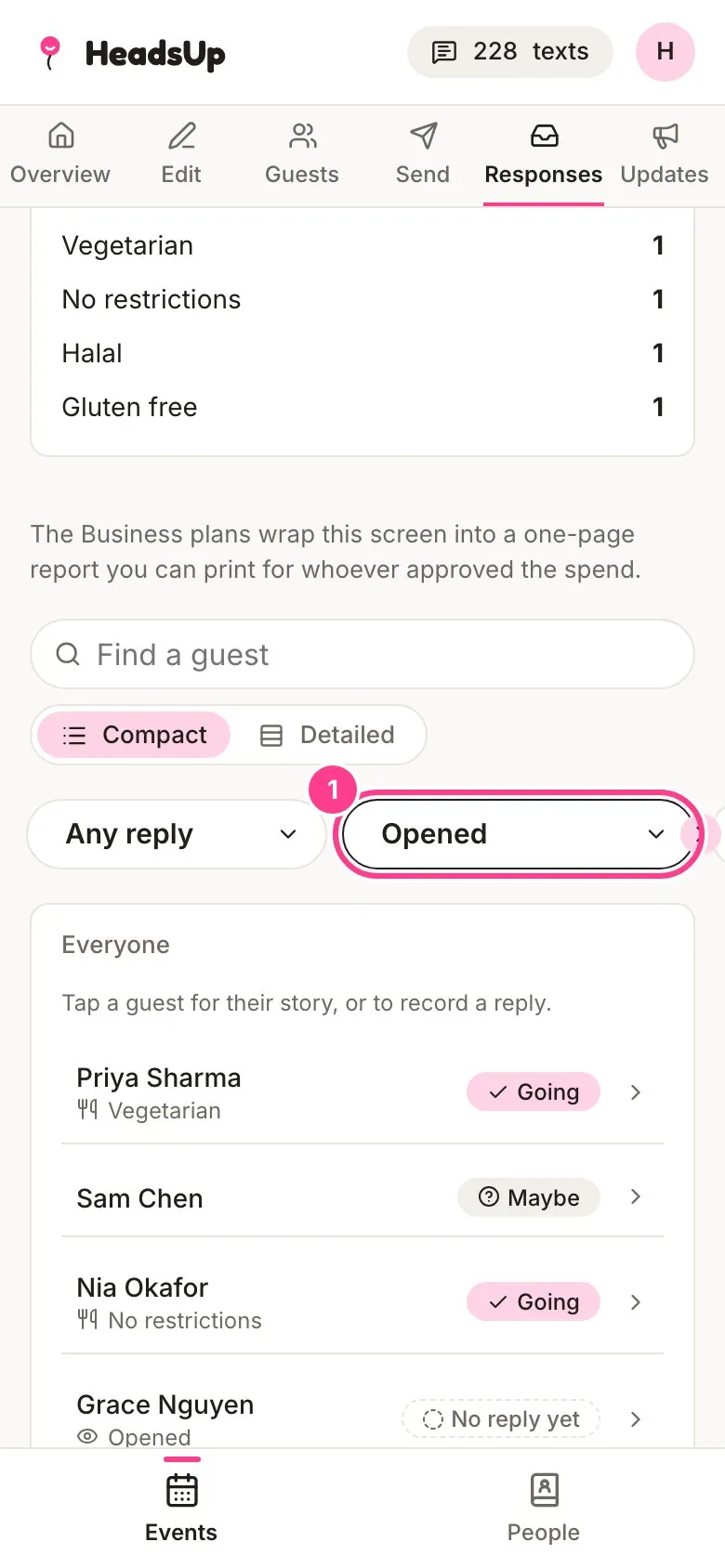
Open your event and tap Responses. Under the tiles, set the invite status filter to Opened to list everyone who has opened their invite. Sent, not opened shows who hasn’t yet, which is handy before a reminder.
-
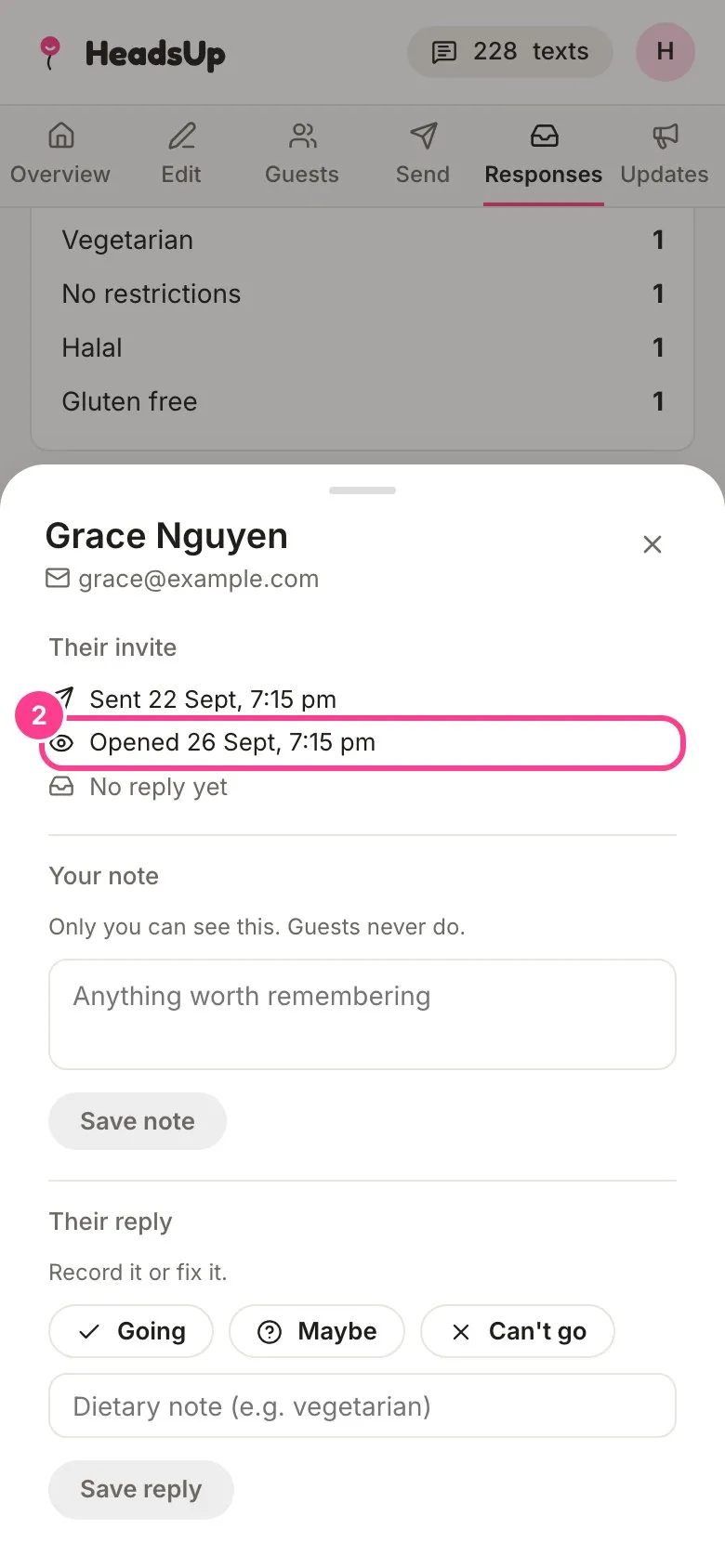
Tap a guest to see their invite’s story under Their invite: when it was sent, when they first opened it and when they replied.
What guests have done
-
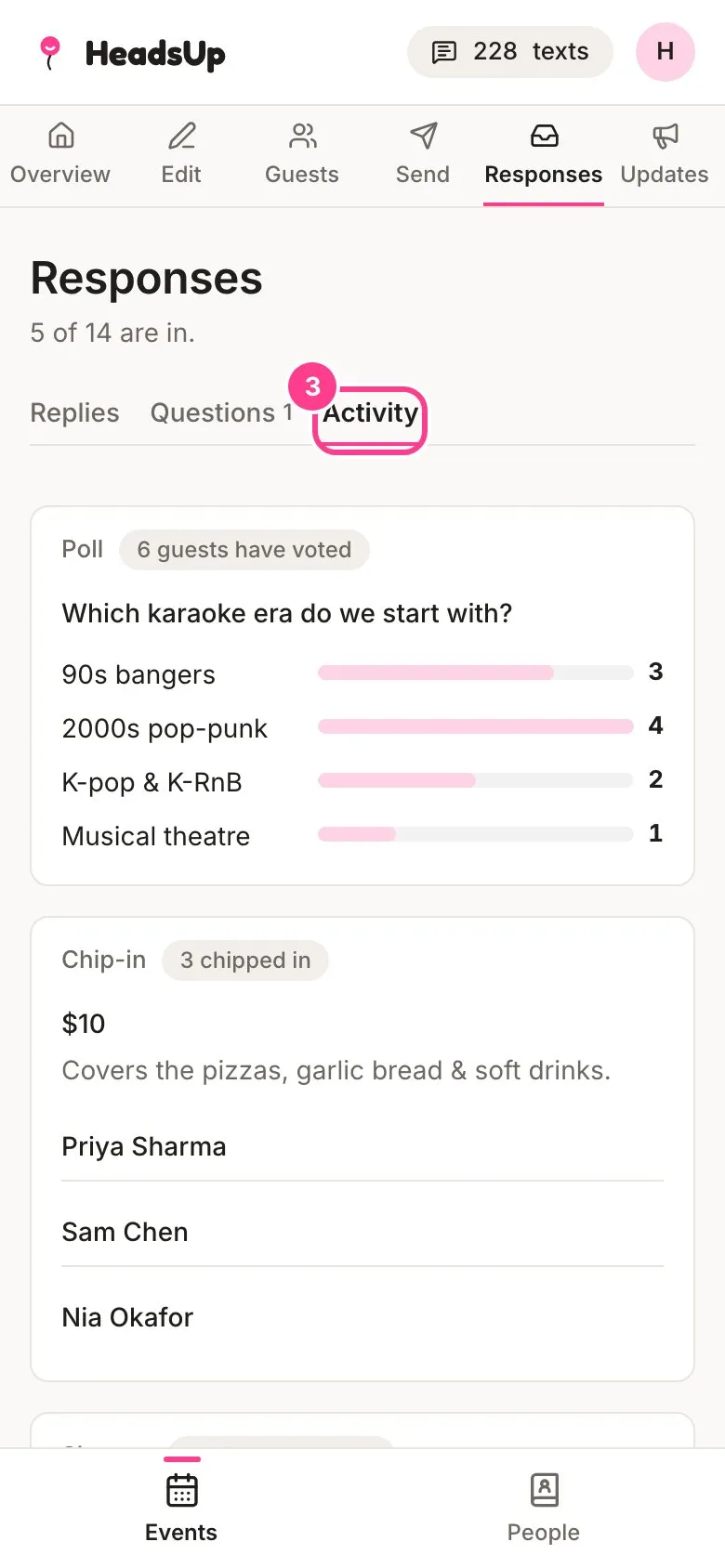
Tap the Activity tab. You’ll find a card for each poll with its votes, each chip-in with who’s marked they’ve paid, each sign-up list with who took which spot, and the potluck list of who’s bringing what.
Good to know
- Your event’s Overview also shows an Opened count beside the reply tiles.
- Tapped a guest’s link yourself by accident? You can undo the open. See How to mark a guest unread.
- Who voted for what, and who chipped in, is only shown to you and your co-hosts. Names on sign-up lists and the potluck are shown to guests, so they can see what’s taken.
- Polls, chip-ins and sign-up lists you add to an update show here too, marked “From an update”. See How to ask guests something in an update.
- On the potluck card you can add a plate for somebody who told you in person. Fill in who, what they’re bringing and an optional note, then tap Add for them.
Didn't answer it?
Tell us what you were trying to do and we'll write back, or give our guide to your AI assistant and ask it.