How to see your guests' dietary needs
See a tally of dietary needs for everyone who's going, check each guest's note, and add one for them.
When guests reply, your invite asks about dietary needs. HeadsUp adds up the answers from everyone who’s going, so you know how many vegetarian or gluten free plates to order without counting by hand.
-
Open your event and tap Responses. The Dietary card, marked Going, lists each need with how many going guests picked it.
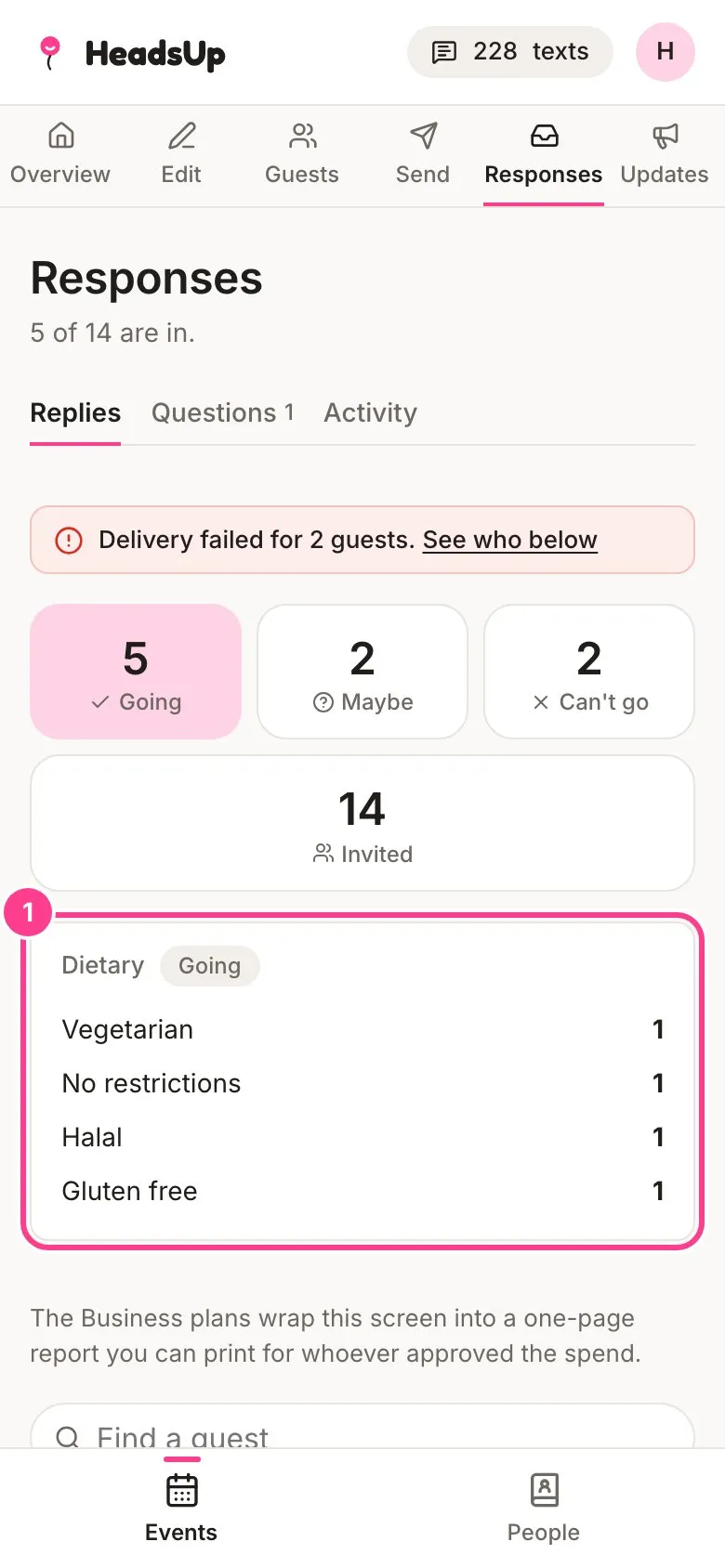
-
To see who asked for what, look down the guest list. Each guest’s need sits under their name, next to a fork and knife.
-
To add or fix a need for somebody, tap their name and type it in the dietary note under Their reply, then tap Save reply.
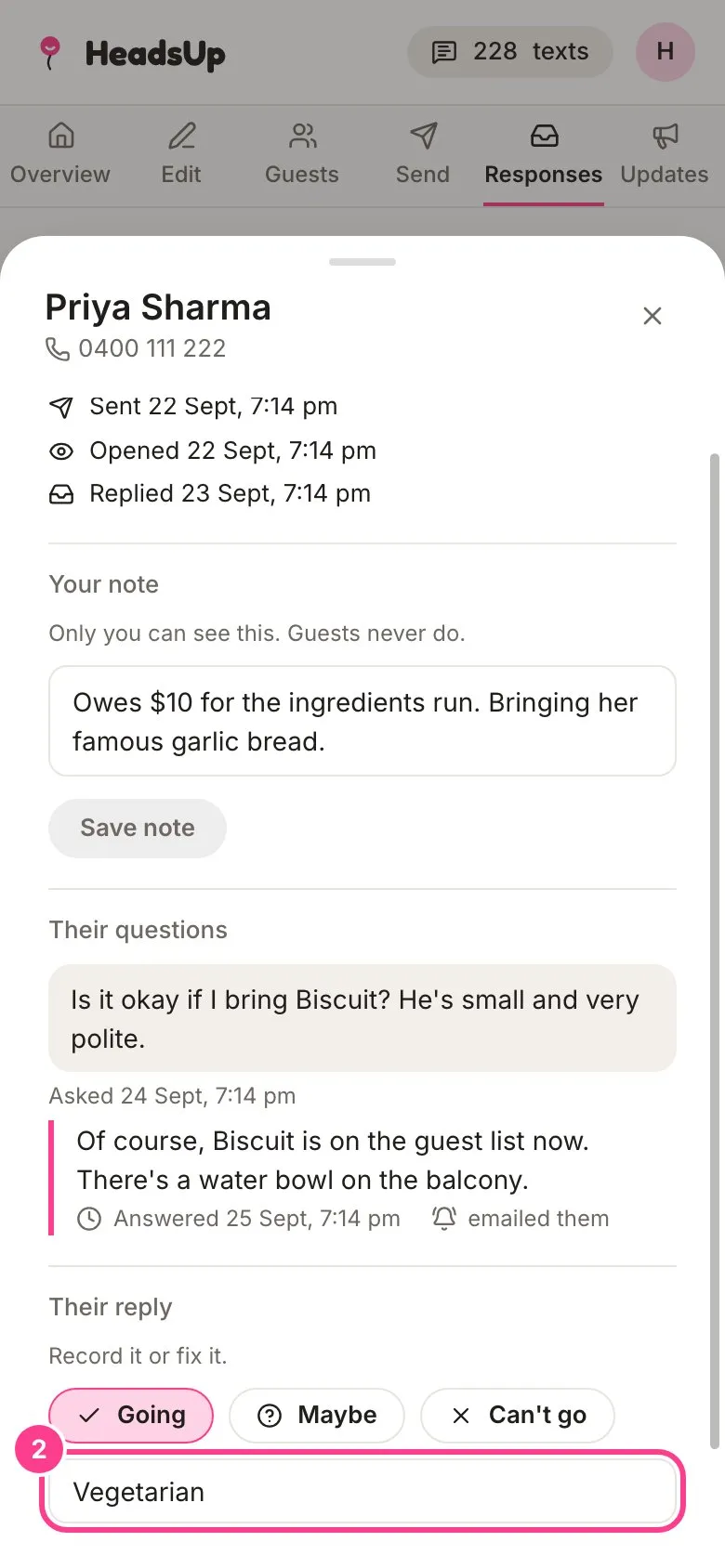
Good to know
- The tally counts guests who are going. A maybe or a can’t go isn’t counted, so the numbers match the plates you actually need.
- You choose the options guests pick from, and guests can always type their own with Other…. See How to set up the RSVP card.
- The card only shows once at least one going guest has named a need.
- Need the list for a caterer? The spreadsheet from Export your list carries every guest’s dietary note. See How to export your guest list.
Didn't answer it?
Tell us what you were trying to do and we'll write back, or give our guide to your AI assistant and ask it.