How to export your guest list
Download your guest list as a spreadsheet for a caterer or a door list, and on the Business plans, print a one-page event report.
Sometimes the list needs to leave HeadsUp: a caterer wants numbers, a venue wants names, or you just want your own copy. Export your list gives you a spreadsheet of everyone on the event, on every plan.
-
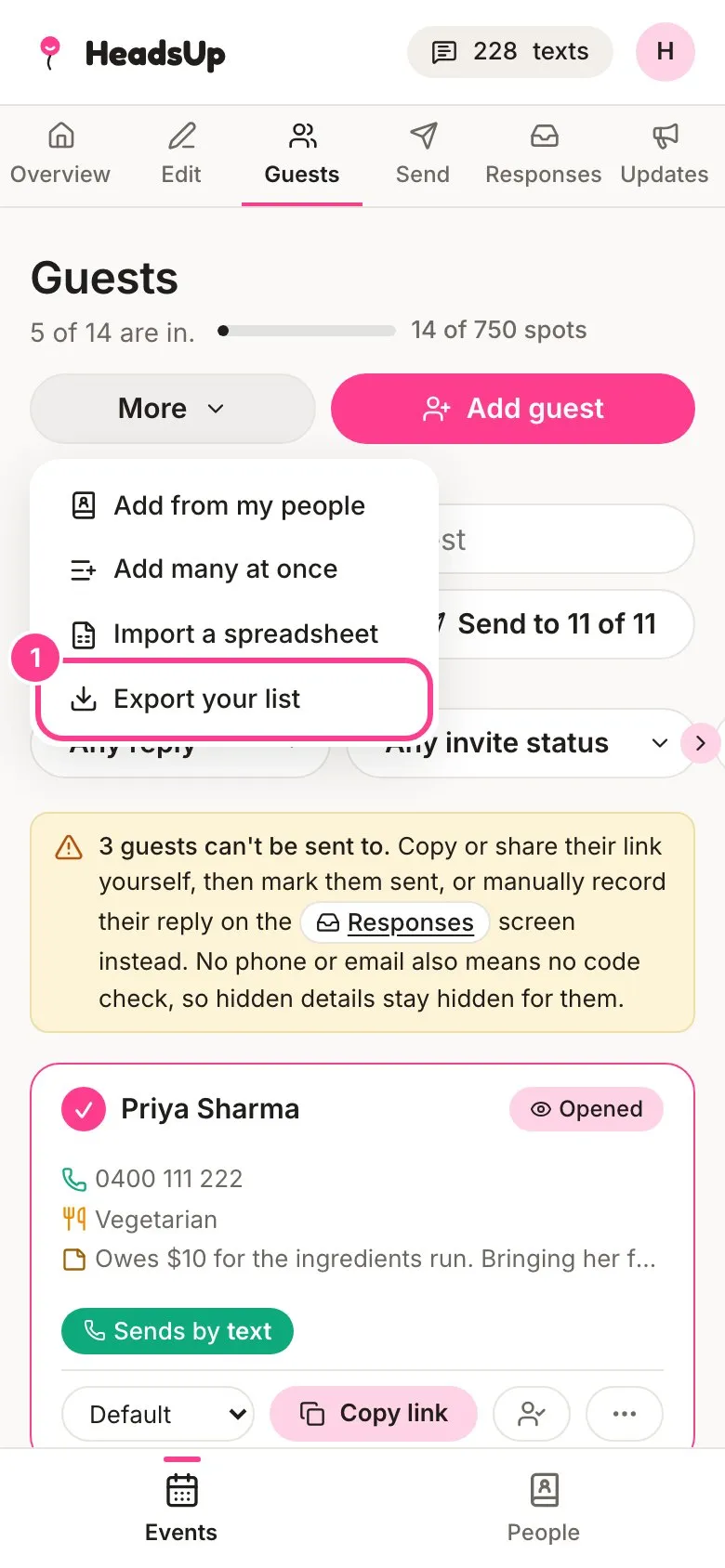
Open your event, tap Guests, then tap More and choose Export your list.
-
The dialog shows what comes down: names and contact details, RSVPs, dietary needs and reply dates, your private notes, and who’s still waiting on approval. Tap Download the spreadsheet.
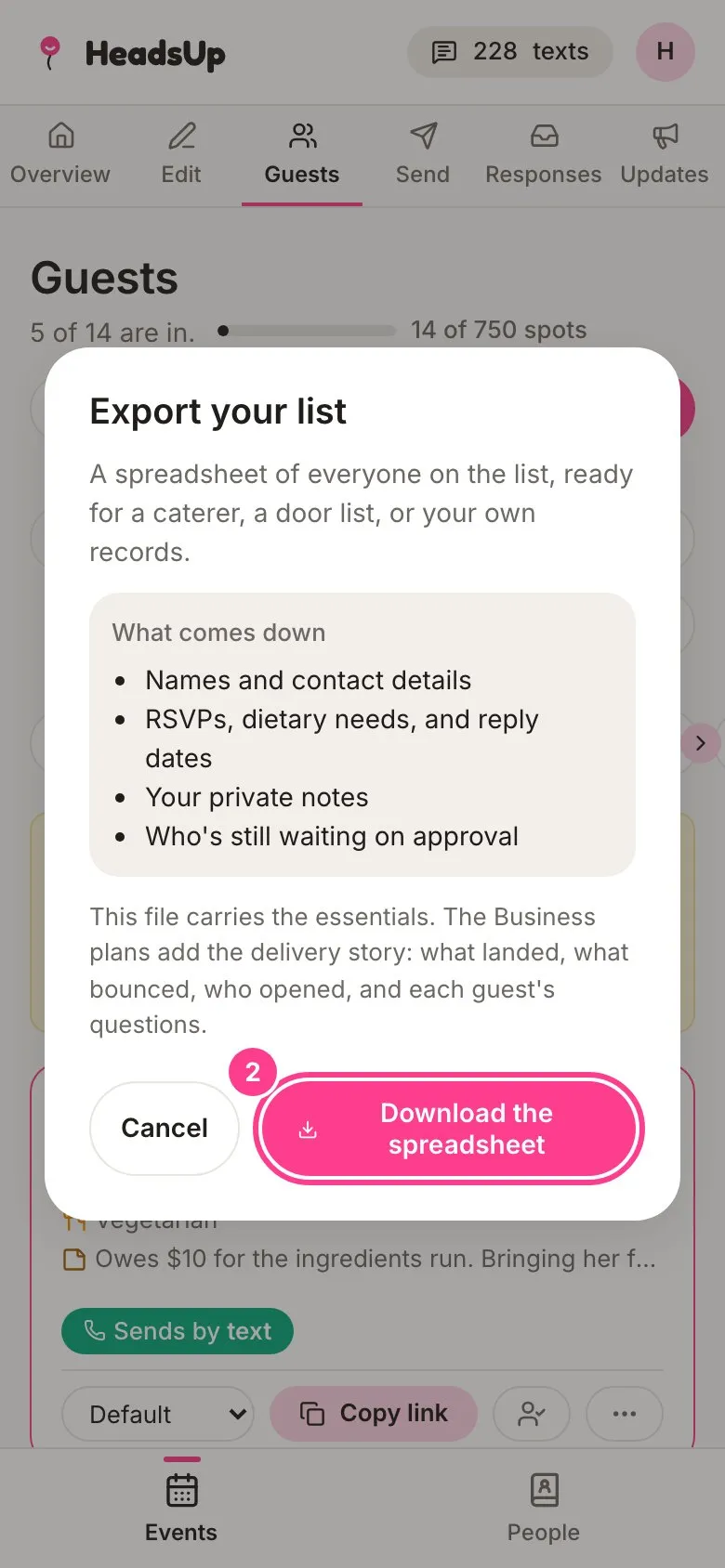
The file opens in Excel, Numbers or Google Sheets.
The event report (Business plans)
On the Business plans you can also turn the Responses screen into a one-page summary to forward to whoever signed off on the event.
-
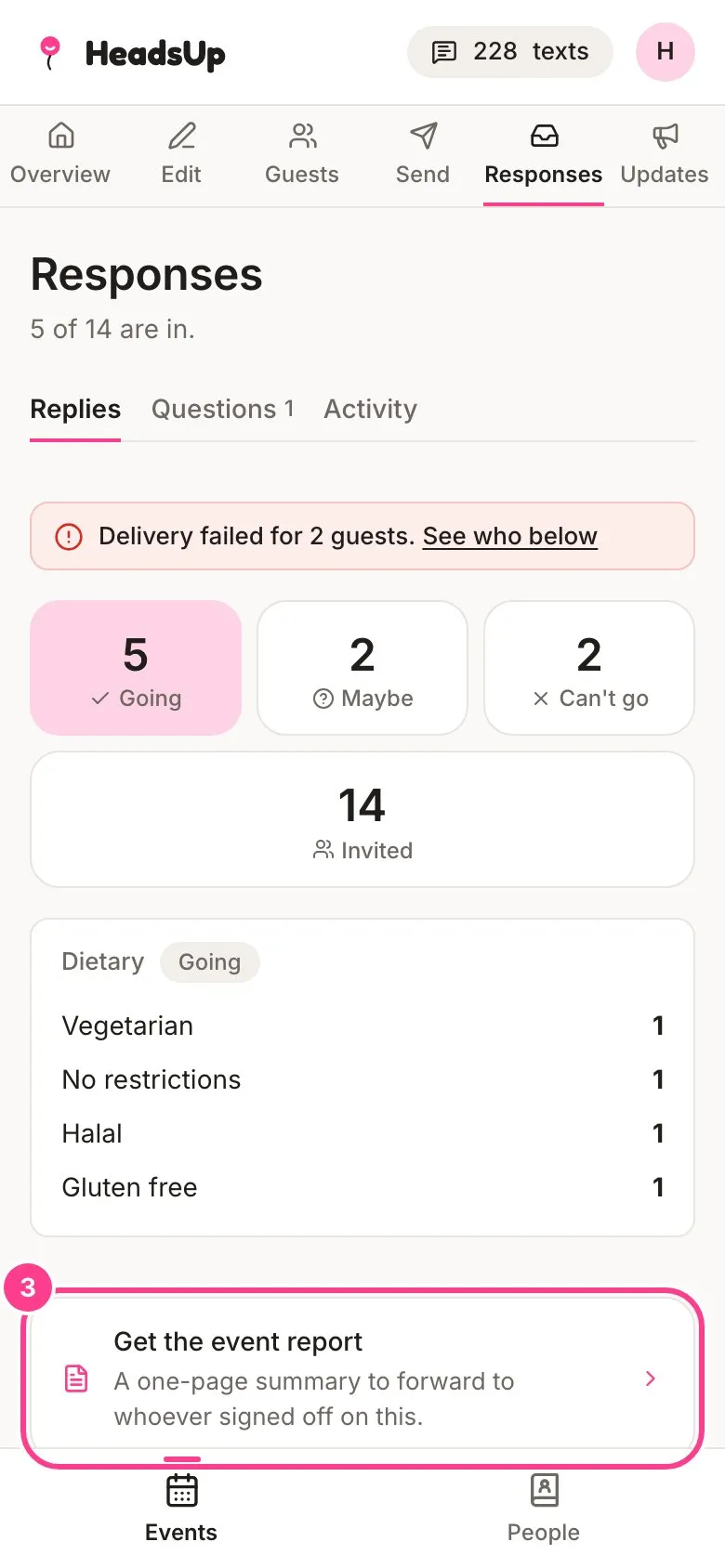
On Responses, tap Get the event report.
-
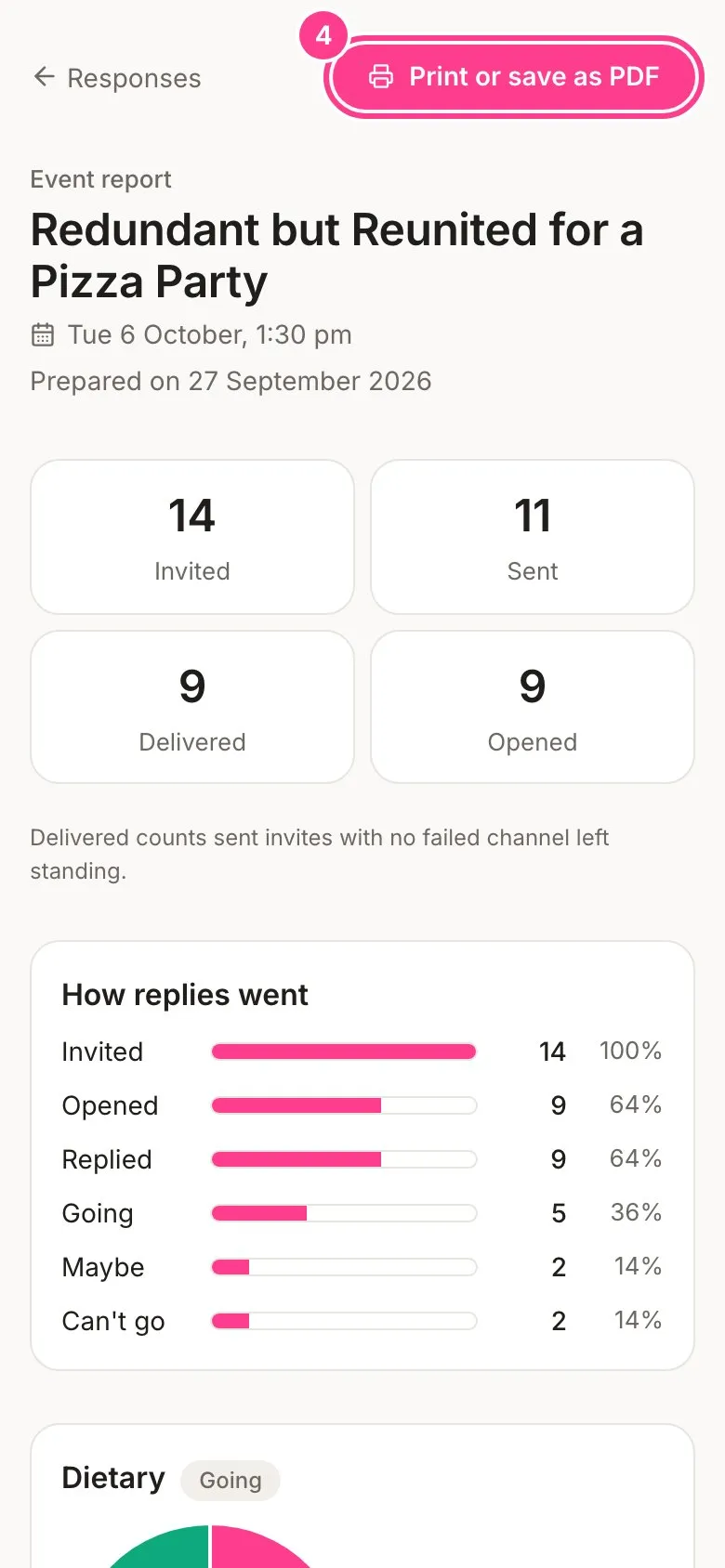
The report shows who you invited, how many invites were sent, delivered and opened, how replies went, and the dietary needs of everyone going. Tap Print or save as PDF.
Good to know
- The essentials export is on every plan. The Business plans add the delivery story to the spreadsheet: what landed, what bounced and what failed, opens and verified contacts, who invited whom and how each guest joined, and each guest’s questions with your answers.
- The spreadsheet has every guest on the event, not just the ones on screen, whatever filters you’ve set.
- Guests’ personal invite links are never in the file, so it’s safe to pass on.
- If a Business plan ends, the export goes back to the essentials and the report waits until you renew. Nothing is lost.
Didn't answer it?
Tell us what you were trying to do and we'll write back, or give our guide to your AI assistant and ask it.