How to ask guests something in an update
Put a poll, a chip-in or a sign-up list in an update, so guests can answer from their invite when plans change.
Sometimes a change of plan needs an answer: which side to order, who can chip in for the extra, who’ll take the new job. Updates can carry a Poll, a Chip-in or a Sign-up list, and guests answer right on the update, the same way they would on the invite.
-
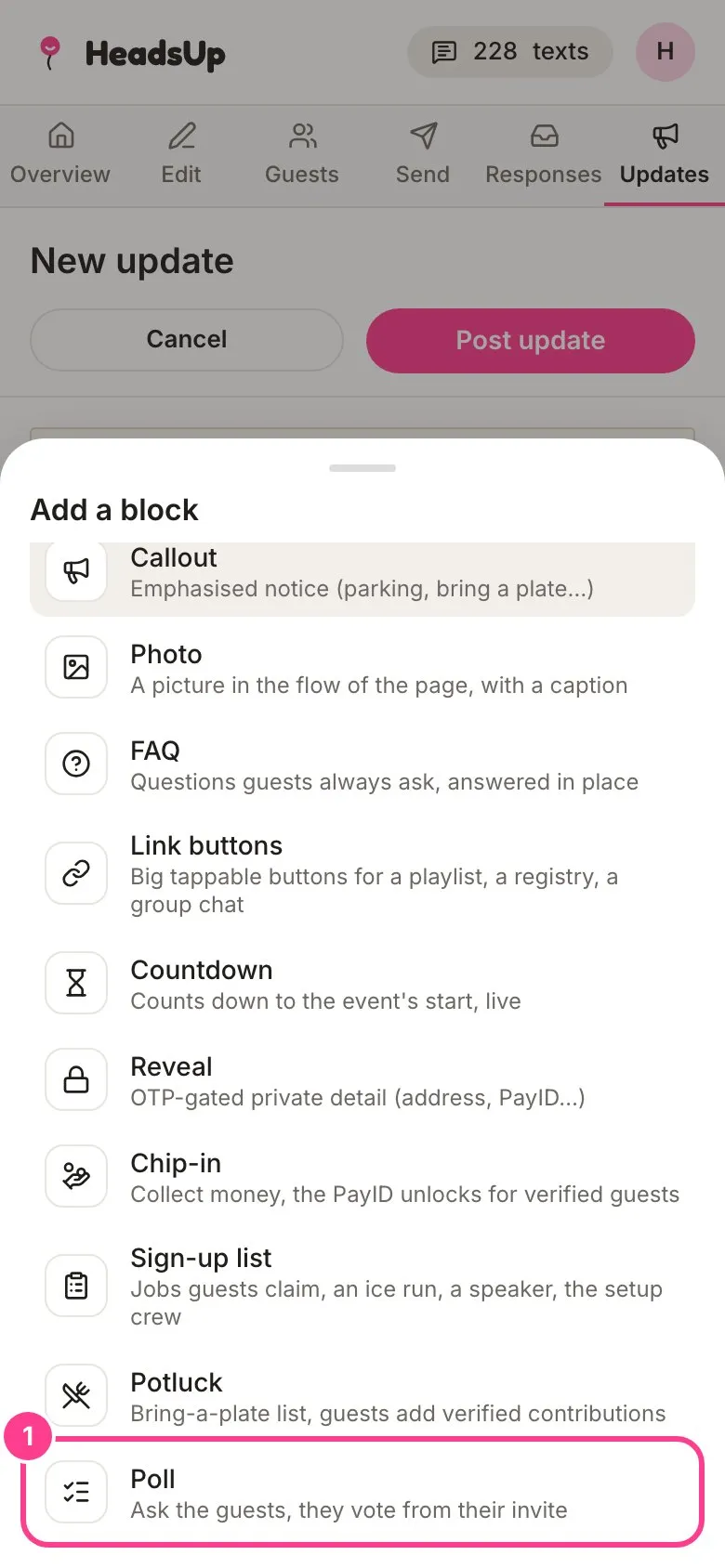
Start an update from Updates with Post an update, and write a line or two about what’s changed. Then tap the + under your text and pick Poll, Chip-in or Sign-up list.
-
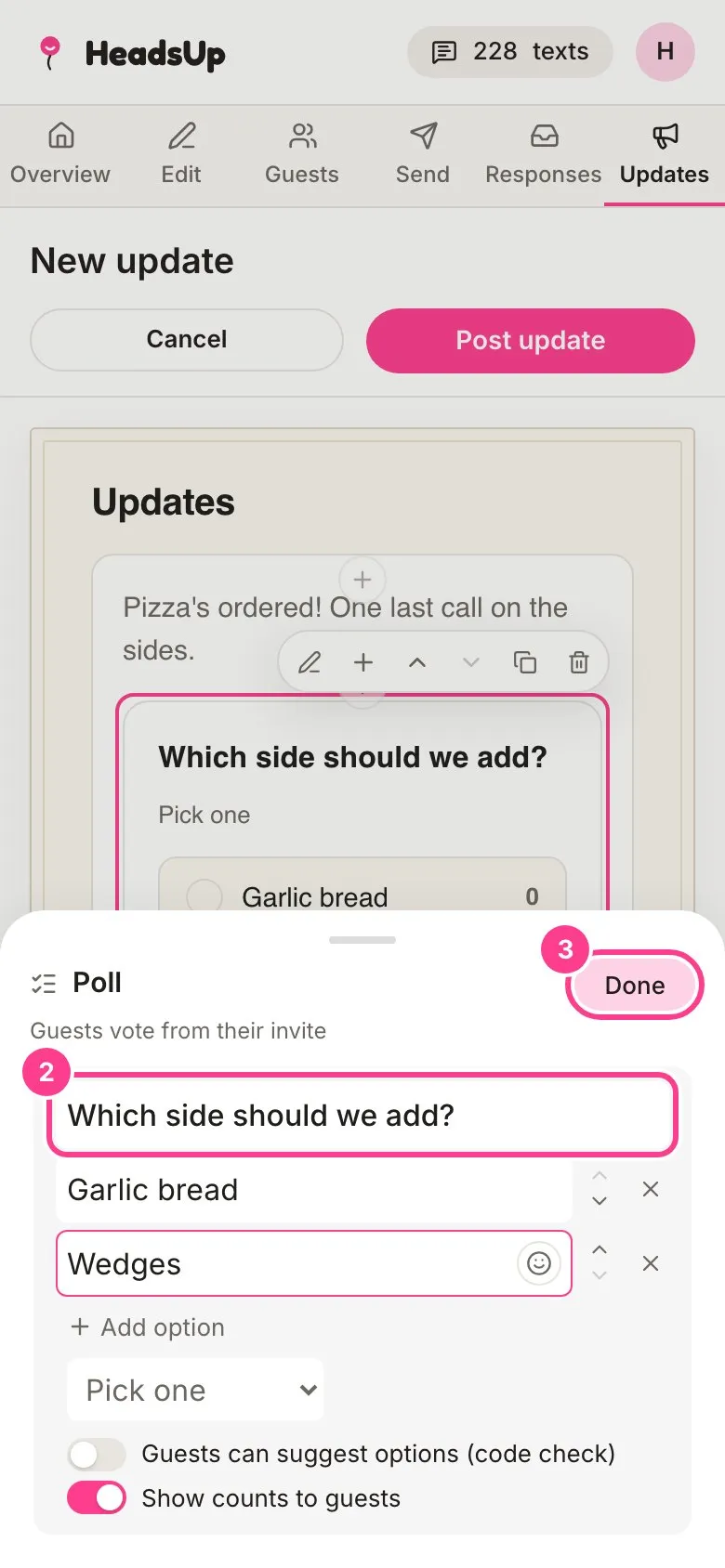
Tap the pencil on the new block to fill it in. For a poll, type your question and the options guests pick from.
-
Tap Done, then Post update.
-
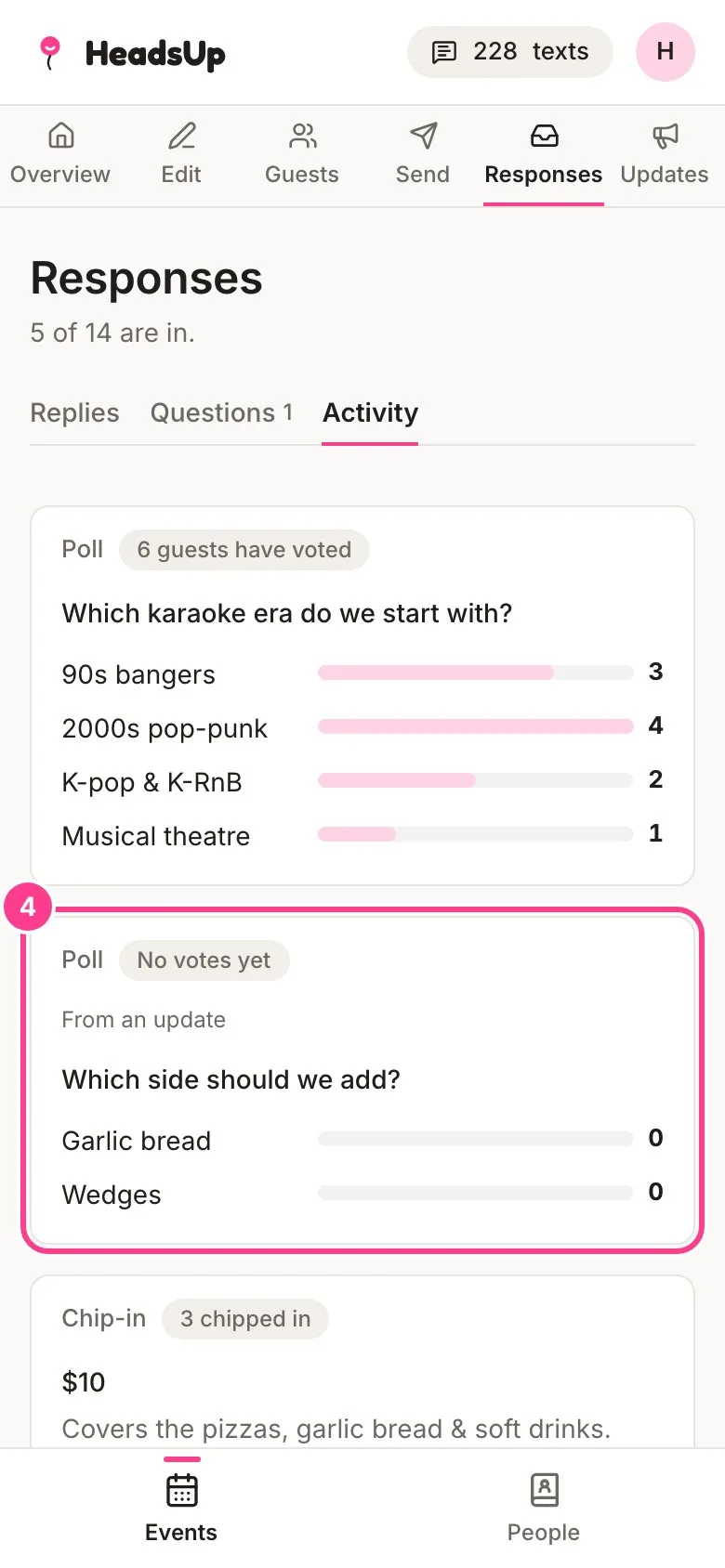
To see the answers, tap Responses, then Activity. Anything from an update is marked From an update.
Remember to tap Notify guests on the update so people know there’s something to answer. See How to post an update.
Good to know
- These blocks work just like they do on your invite. See How to add a poll, How to collect money with chip-in and How to add a sign-up sheet.
- Voting in a poll only needs the guest’s link. Marking a chip-in or claiming a sign-up spot asks them to confirm it’s them with a code first.
- Deleting the update takes its poll, chip-in or sign-up list off the invite, along with its answers on your Activity tab.
Didn't answer it?
Tell us what you were trying to do and we'll write back, or give our guide to your AI assistant and ask it.