How to mark a guest unread
Opened a guest's link by accident? Mark them unread so their invite shows as sent, not opened.
HeadsUp shows Opened on a guest’s card once their link has been opened. If that was you, maybe checking the link worked before passing it on, the list is now telling you something that isn’t true. Marking them unread fixes it.
-
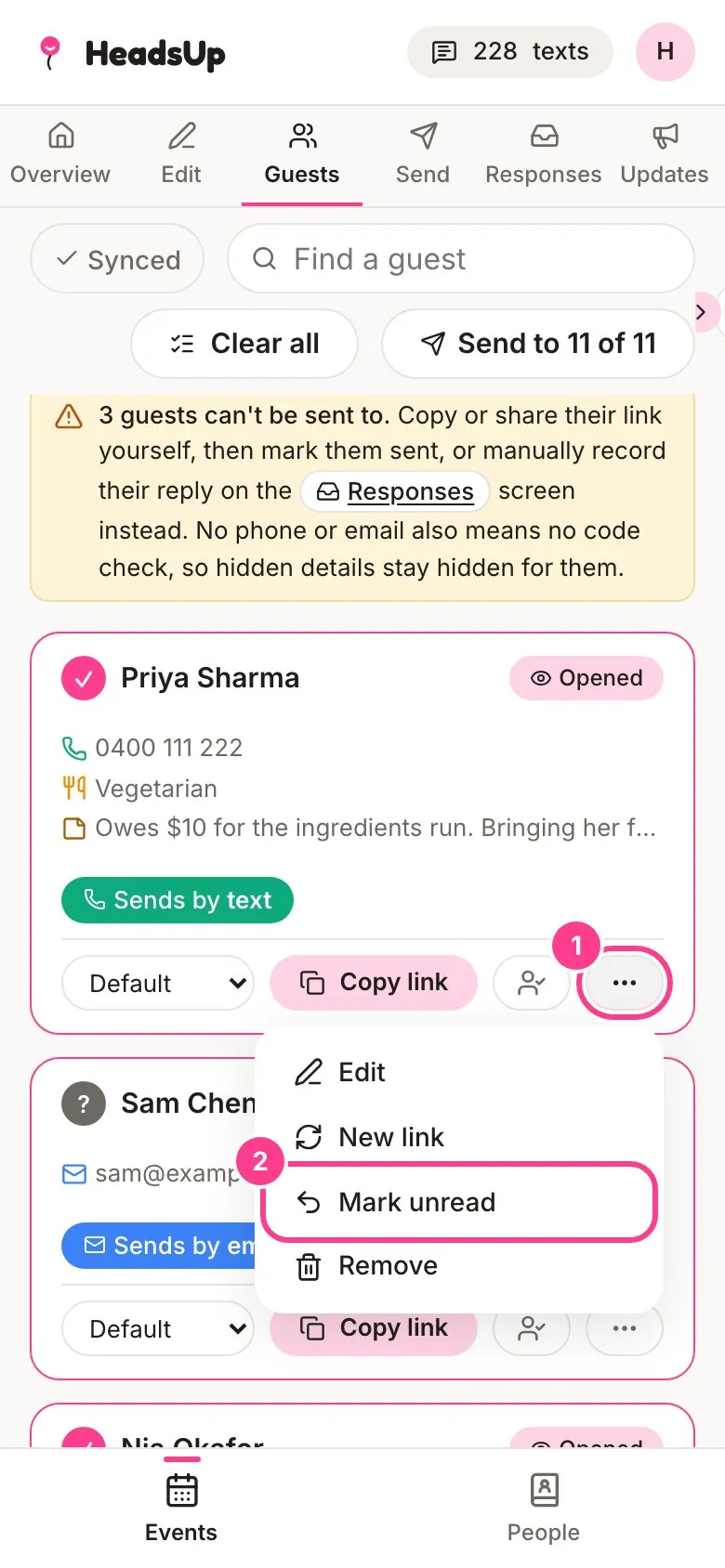
On the Guests tab, find the guest and tap the three-dot button on their card.
-
Tap Mark unread.
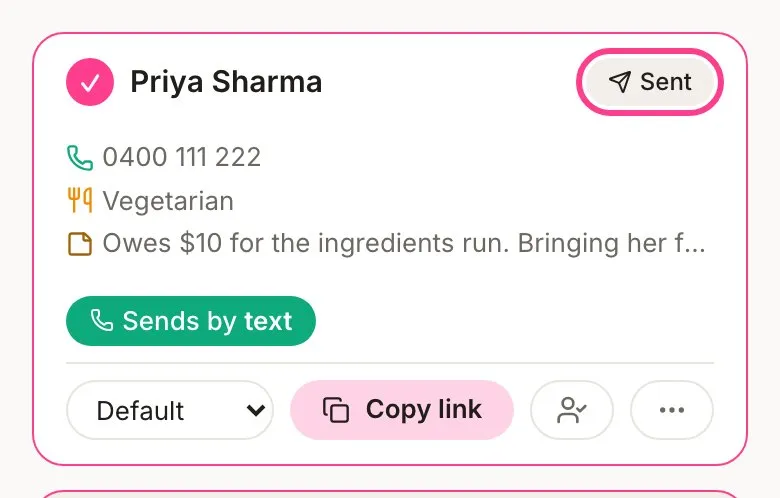
Their card goes back to Sent, as if nobody had opened it yet.
Good to know
- Mark unread only shows on guests marked Opened.
- It only clears the opened mark. Any reply they’ve already sent stays put.
- When the guest opens their link for real, they’ll show as Opened again.
- To see the invite the way guests do without touching anyone’s link, use preview as a guest.
Didn't answer it?
Tell us what you were trying to do and we'll write back, or give our guide to your AI assistant and ask it.