How to copy a guest's personal link
Every guest has their own link. Copy it to send yourself by WhatsApp, Messenger or anywhere else, without marking it opened.
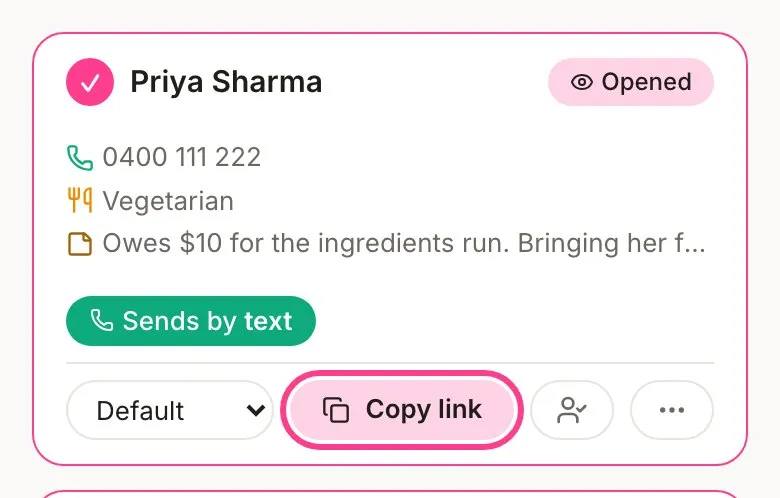
Every guest gets their own personal link. It’s how HeadsUp knows who opened the invite and whose reply is whose. When you’d rather send it yourself, say in a group chat or a DM, copy it straight from their card.
-
Open your event and tap the Guests tab.
-
Find the guest and tap Copy link. The button says Copied for a moment.
-
Paste it wherever you’re messaging them.
On a phone, you can also tap the three-dot button on their card and choose Share link to hand it straight to another app.
Why it’s a button, not a link you can tap
HeadsUp marks a guest Opened the first time their link is opened. If you could tap it from your own list, you’d open it yourself and it would look like they’d seen it. So it only ever copies. Want to see what your guests see? Use preview as a guest instead. If you’ve opened someone’s link by accident, you can mark them unread.
Guests you can’t send to
A guest with no phone or email, or one you can’t reach any more, is link only. Copy their link, pass it on yourself, then tap Mark sent on their card so your list knows it’s gone out. Changed your mind before they’ve opened it? Tap Undo.
Good to know
- Each link belongs to one guest. If it’s forwarded, whoever opens it can reply as that guest, so send each person their own.
- If a link has been shared around, tap the three-dot button, then New link. The old one stops working straight away, their reply stays, and you send or copy the new one yourself.
- Guests never need an account. The link is all they need.
Didn't answer it?
Tell us what you were trying to do and we'll write back, or give our guide to your AI assistant and ask it.