How to edit or remove a guest
Fix a guest's name, number or email, add a private note, or take someone off the list. Here's what happens to their link and code check.
Typo in a number? Someone changed their email? You can fix a guest’s details right on their card, and take them off the list if plans change.
Edit a guest
-
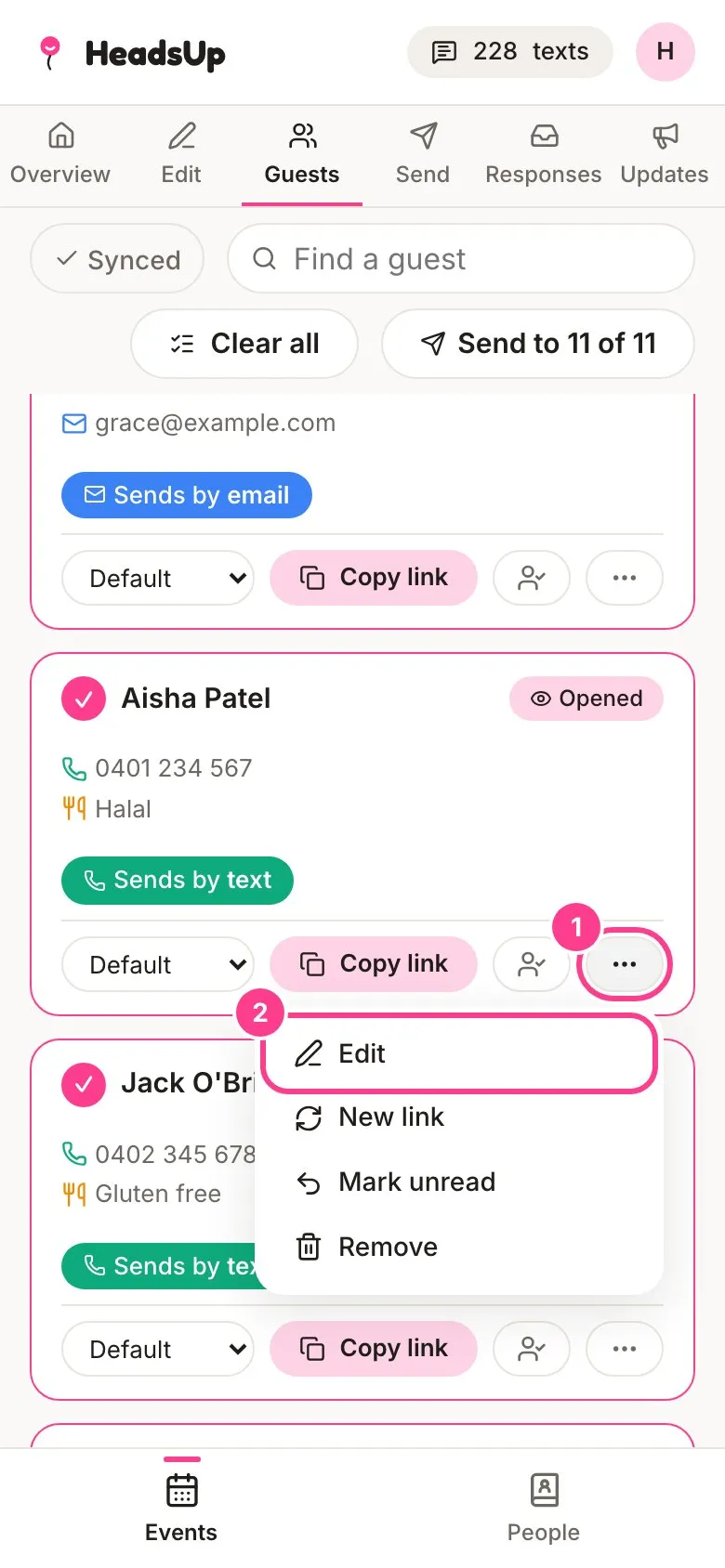
On the Guests tab, find the guest and tap the three-dot button on their card.
-
Tap Edit.
-
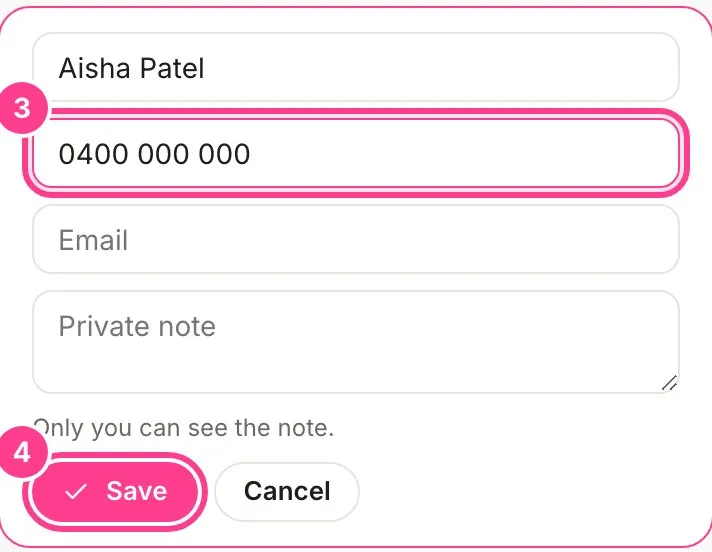
Change their Name, Phone or Email. There’s also a Private note for anything worth remembering. Guests never see it.
-
Tap Save.
-
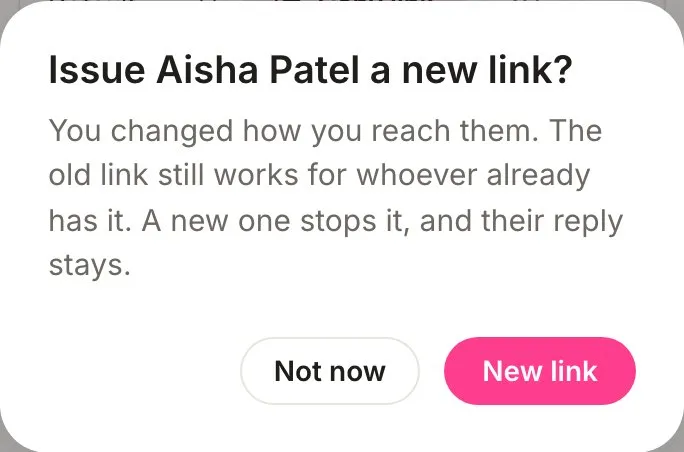
If you changed their phone or email, HeadsUp asks whether to give them a new link. Tap New link if the old one might have gone to the wrong person, or Not now to keep it. Either way, their reply stays.
What happens when you change a number or email
Guests unlock hidden details by entering a code sent to their phone or email. That check belongs to the number or email it was sent to. So when you change or clear one, any check they passed on the old one is cleared, and they’ll get a fresh code at the new one next time. It’s there for the classic mistyped number: whoever had the wrong number can’t keep seeing the private details.
- Writing the same number a different way, like 0400 000 000 or +61 400 000 000, doesn’t count as a change.
- Adding a phone or email they didn’t have before clears nothing.
- If a text couldn’t be delivered or an email bounced, fixing the number or email clears that warning so you can send again.
- If a guest asked to stop texts or emails, editing their details doesn’t undo that. Only they can turn it back on.
Remove a guest
-
Tap the three-dot button on their card, then Remove.
-
Tap Remove to confirm, or Keep them if you’ve changed your mind.
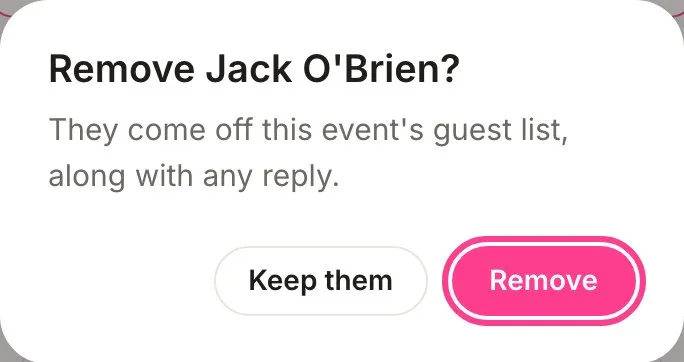
They come off this event’s guest list along with any reply, and their link stops working. There’s no undo, but if they’re saved in your People list they stay there, so you can add them back any time. Their reply would start fresh.
Good to know
- To stop a shared link working without removing the guest, use New link from the same menu.
Didn't answer it?
Tell us what you were trying to do and we'll write back, or give our guide to your AI assistant and ask it.