How to delete or restore someone in People
Deleting a person moves them to Deleted, where you can restore them any time. Deleting for good takes 30 days and can be called off.
Nobody in People is deleted by accident. When you delete someone they move to a Deleted tab, and you can bring them back whenever you like. If you want their details gone for good, you can ask for that too, and it happens 30 days later.
Delete someone
-
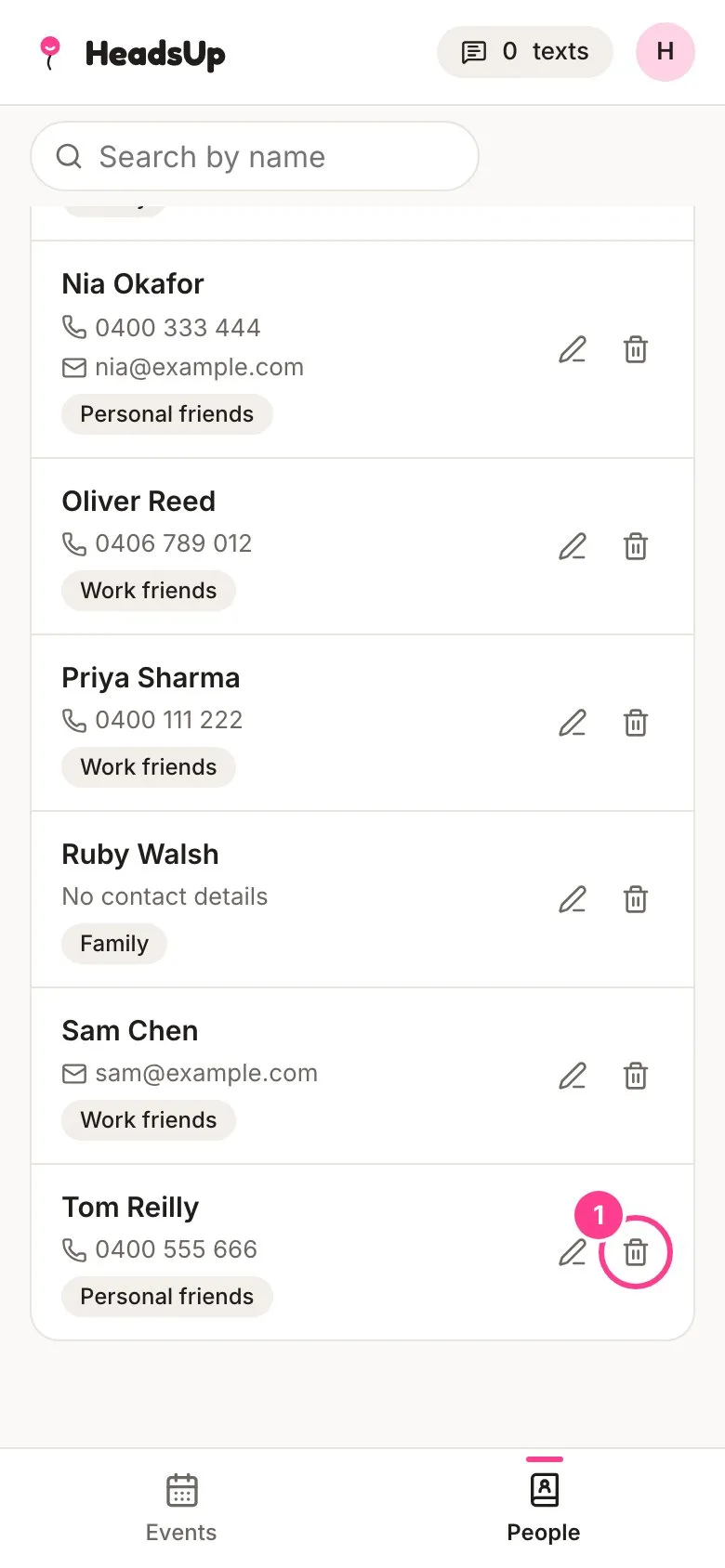
Tap People, find the person, and tap the bin beside them.
-
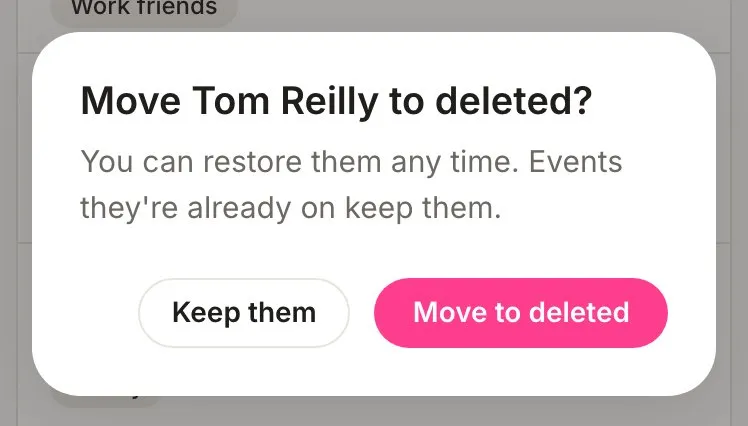
Tap Move to deleted. Events they’re already on keep them.
Restore someone
-
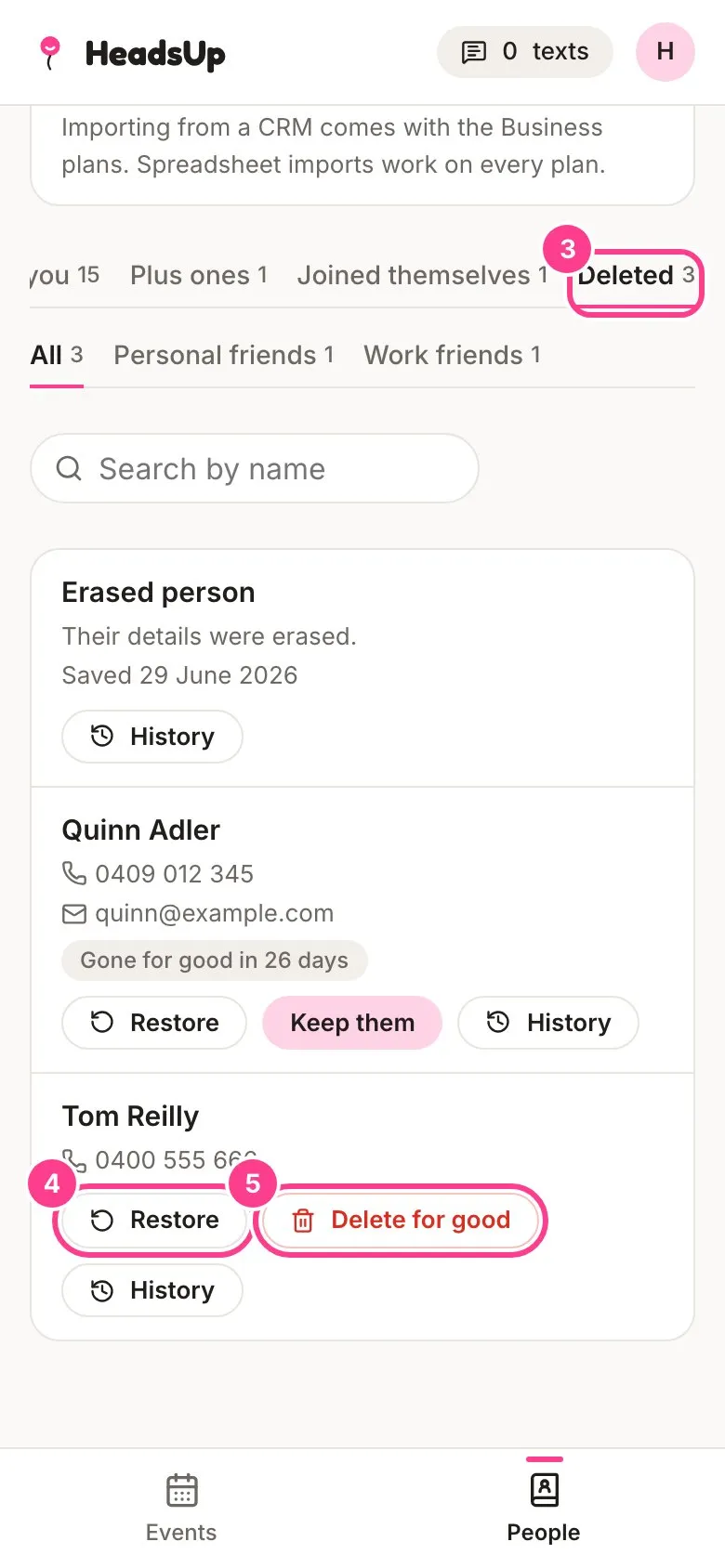
Tap the Deleted tab. It only shows while someone is in it.
-
Tap Restore on the person you want back. They go straight back to your People list.
Delete someone for good
-
In the Deleted tab, tap Delete for good on the person.
-
Read what happens and tap Start the 30 days.
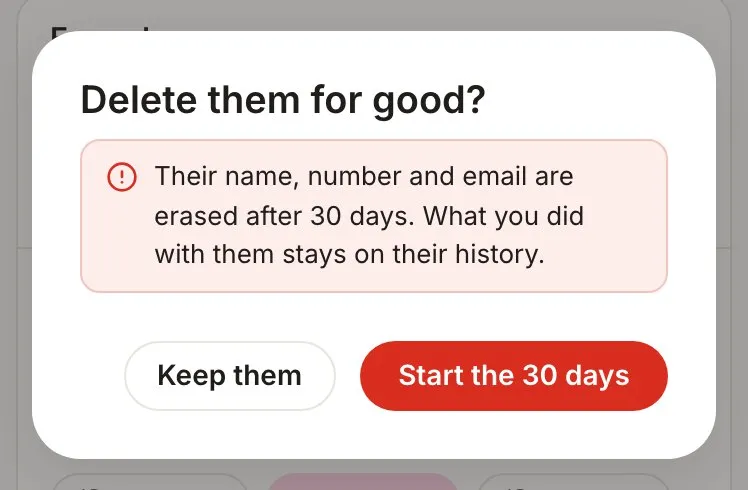
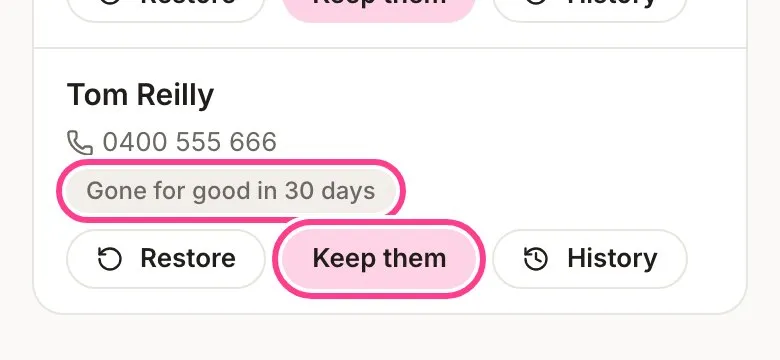
Their row now counts down, such as Gone for good in 30 days. Changed your mind? Tap Keep them to call it off, or Restore to call it off and bring them back.
What’s erased and what stays
When the 30 days are up, their name, number and email are erased. Their row stays in Deleted as Erased person, and it can’t be restored.
Their history stays. Every person in HeadsUp keeps a record of what happened with them, such as when they were added, which events they were invited to and what was changed. After an erasure, each line of that record stays but the details in it go, so it says a number was changed without saying what it was. Tap History on any row in Deleted to read it.
Good to know
- Deleting someone from People, even for good, doesn’t take them off any event’s guest list. To take a guest off an event, see edit or remove a guest.
- Deleting or erasing someone never takes them off your do-not-contact list. A promise not to message someone outlives their details.
- You can read a person’s history but not edit it. It’s there so there’s always an honest record.
- Two saved people who are really the same person? Merge them instead of deleting one.
Didn't answer it?
Tell us what you were trying to do and we'll write back, or give our guide to your AI assistant and ask it.