How to merge duplicate people
When two saved people look like the same person, HeadsUp offers to merge them into one, keeping the best of both.
The same friend can end up in People twice, say once as “Tom Reilly” with his mobile and once as “Tom R” from another list. HeadsUp spots people who share a number or an email, or whose names look alike, and offers to merge them. Nothing is merged unless you say so.
-
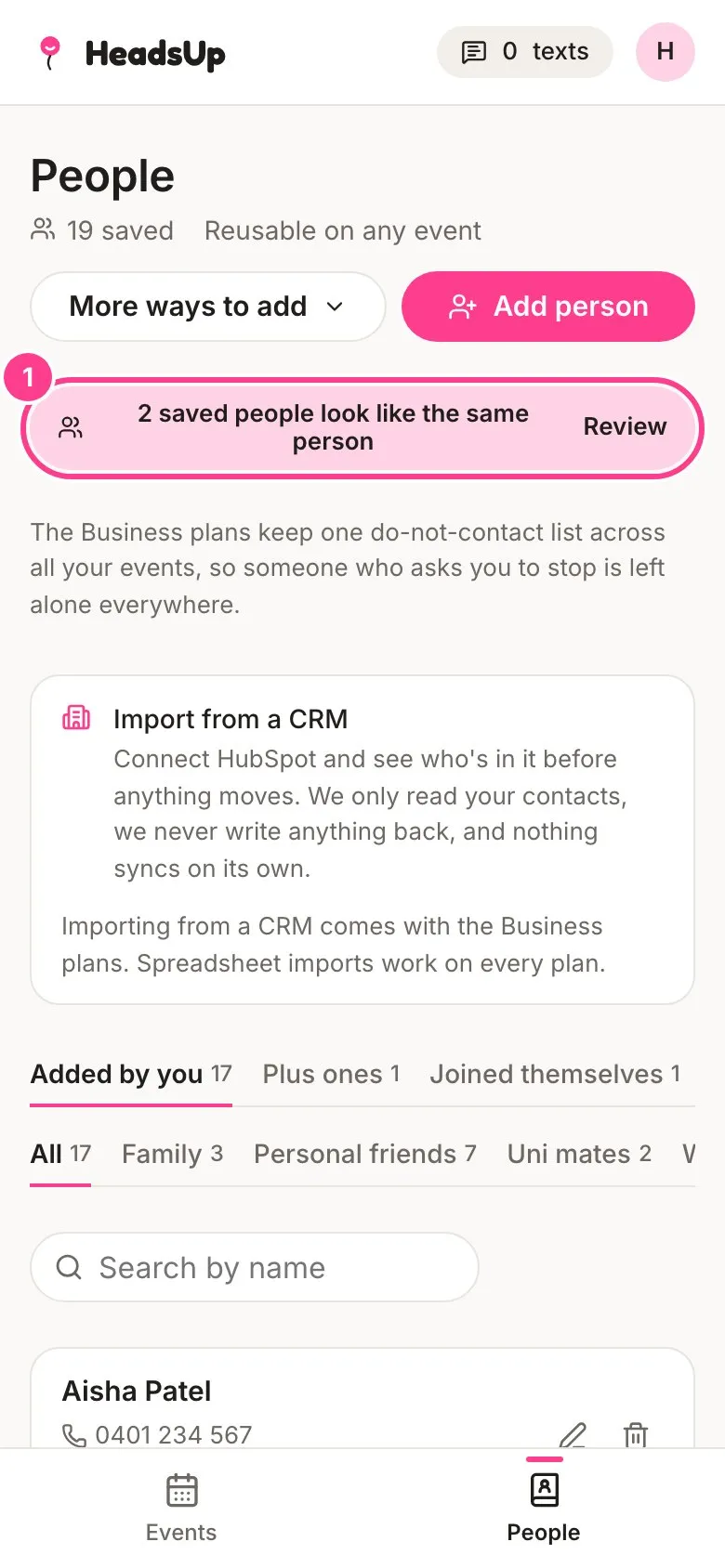
Tap People. When there are possible duplicates, a note at the top says so, such as 2 saved people look like the same person. Tap Review.
-
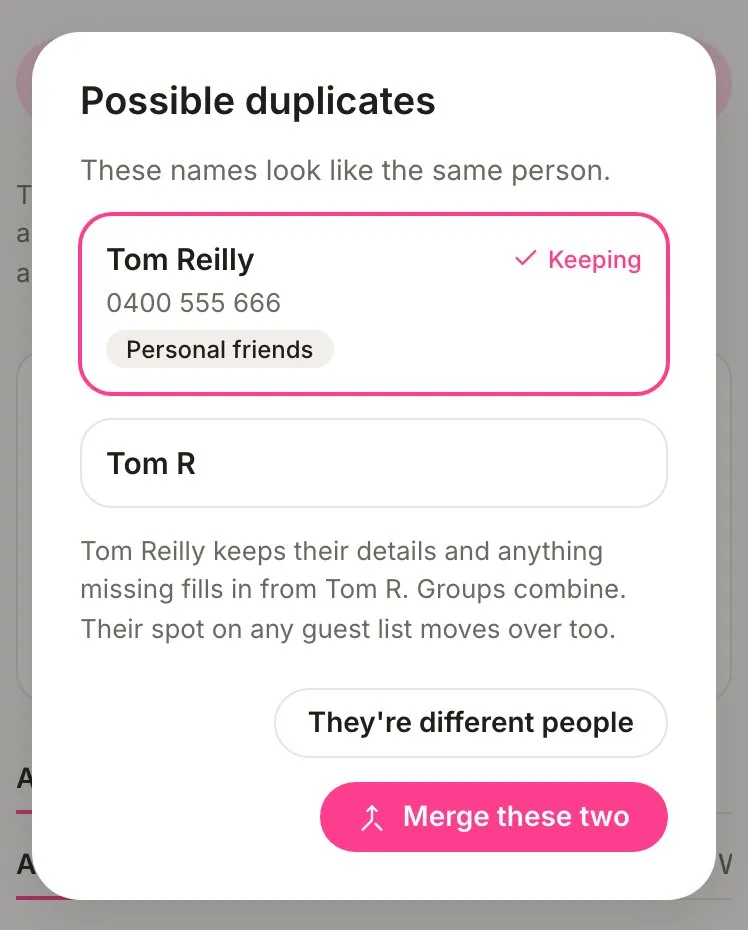
Possible duplicates shows the two people side by side and why they look alike. Tap the one you want to keep. HeadsUp picks the one with more details to start with.
-
Tap Merge these two. Or, if they really are two different people, tap They’re different people to skip them.
-
If there are more pairs, the next one shows straight away. Tap Done when you’ve been through them all.
What a merge does
- The person you keep keeps their details, and anything they’re missing fills in from the other one. If the kept Tom has no email and the other Tom has one, the email comes across.
- Their groups combine.
- Their spot on any event’s guest list moves to the person you kept.
- The other person is removed from People.
Good to know
- Skipping a pair with They’re different people only lasts until you leave the screen. The note will offer them again next time.
- An event’s Guests screen has its own check for duplicate guests on that one event.
- Merging never takes anyone off your do-not-contact list.
Didn't answer it?
Tell us what you were trying to do and we'll write back, or give our guide to your AI assistant and ask it.