How texts are counted
What one text is, why a long message or an emoji can count as more, what else uses texts, and when texts come back to you.
Your texts balance sits at the top of the screen. One text is one SMS to one guest, up to 160 characters. Emails and push notifications never use texts.
How many texts a message takes
The box under your message on the Send tab counts it for you, as text per SMS guest. Your guest’s personal link is added to every message and counts towards the length, so the count already includes it.
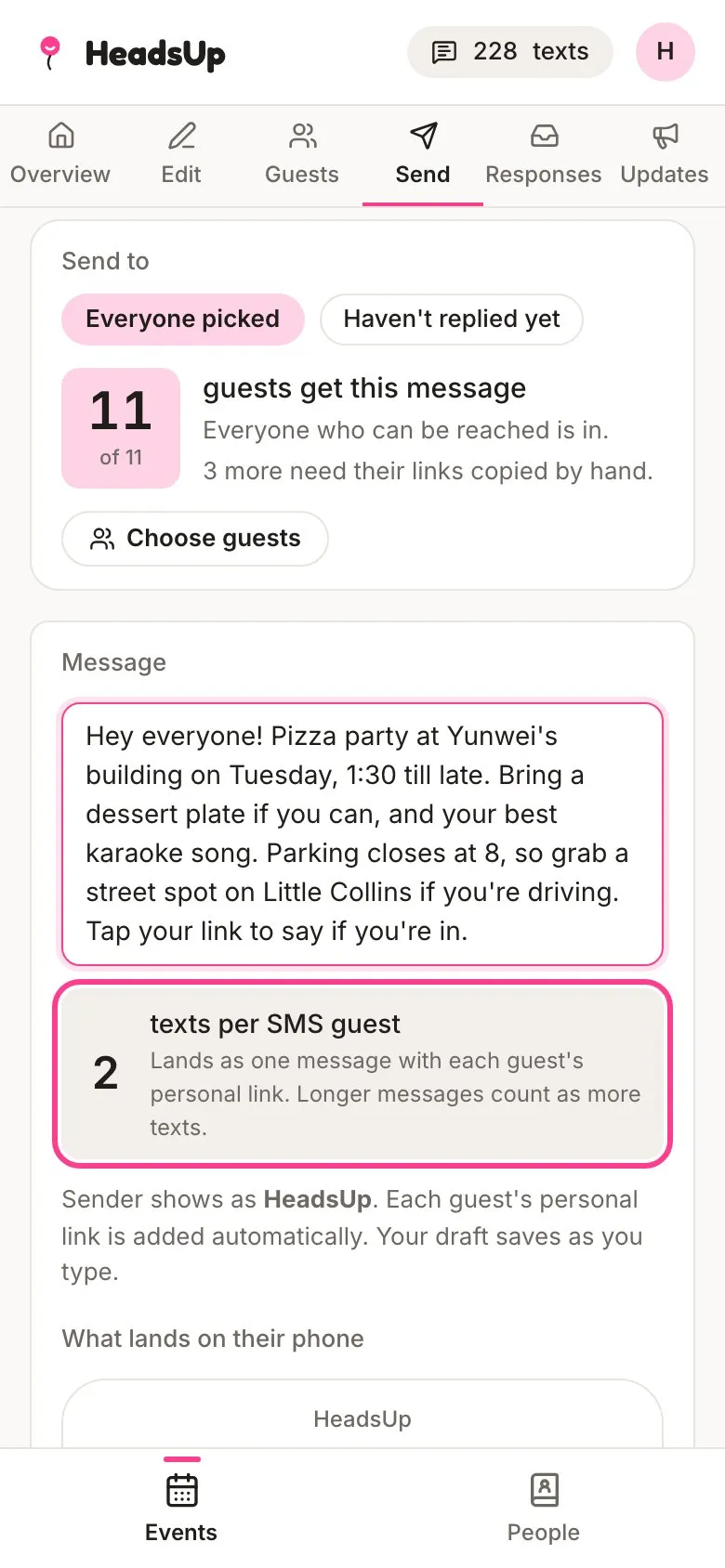
- Up to 160 characters, link included, is one text.
- Longer than that, it still lands as one message on their phone, but it’s counted in chunks of 153 characters. So 161 to 306 characters is two texts, and so on.
- An emoji, or letters from a script like Chinese or Arabic, switches the whole message to a different kind of SMS that fits only 70 characters, then 67 per chunk. A single emoji can double what a message costs.
- A few symbols, like € and square or curly brackets, count as two characters.
- Curly quotes and long dashes from your phone’s keyboard are swapped for plain ones automatically, so they don’t bump the count.
What a send costs
Beside the send button, HeadsUp adds it all up: texts per guest times the guests getting a text. Guests who get an email instead cost nothing.
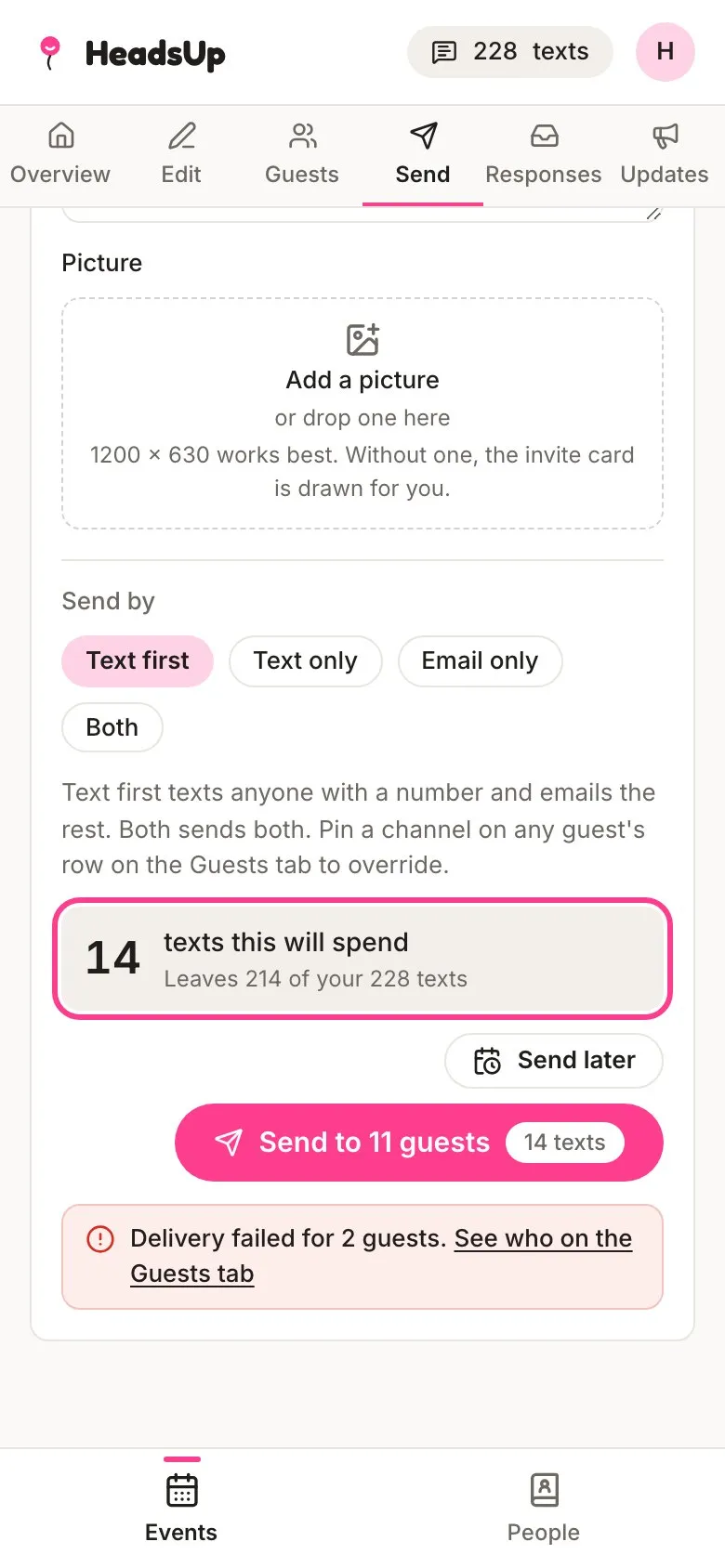
If a send needs more than you have, nothing goes out and you’ll see how many you’re short. You can buy a text pack and send again.
Other things that use texts
- Verification codes by text. When a guest asks for a code by text to unlock hidden details, it uses one of your texts. Set Verification codes to Email only on the Overview tab to keep codes free. So a guest is never stuck at the gate, a text code still goes out even if you’ve just run out.
- Public link join codes by text, if you let people join with a mobile. These only go out while you have texts, then the join form switches to email.
- Plus-one invites by text, if you picked Text or email for them. One text each.
- Texts to you about replies, questions, plus ones or polls, if you’ve turned those on in your notifications. One text each.
- Answers by text, when you answer a guest’s question and let them know by text.
On a shared event, every text comes off the event owner’s balance, whoever sends it.
When texts come back
- If a text couldn’t be delivered, the texts it used go back to your balance.
- A scheduled send sets its texts aside when you book it. Cancel it and they go back, unless they were included texts that have since ended.
- Tap your texts balance at the top of the screen to open your Texts history. It lists every top-up, spend and expiry, with the balance each one left.
Good to know
- Texts included with a plan are used first, and they last for the 30 days they come with. Texts you buy in a pack don’t expire.
- Texts come from HeadsUp, or from your own sender name if you’ve set one up on a Business plan. Either way, guests can’t reply to them by text.
Didn't answer it?
Tell us what you were trying to do and we'll write back, or give our guide to your AI assistant and ask it.