How to check your invites were delivered
See who's been sent their invite, who's opened it, and whose text or email didn't get through, then fix it and send again.
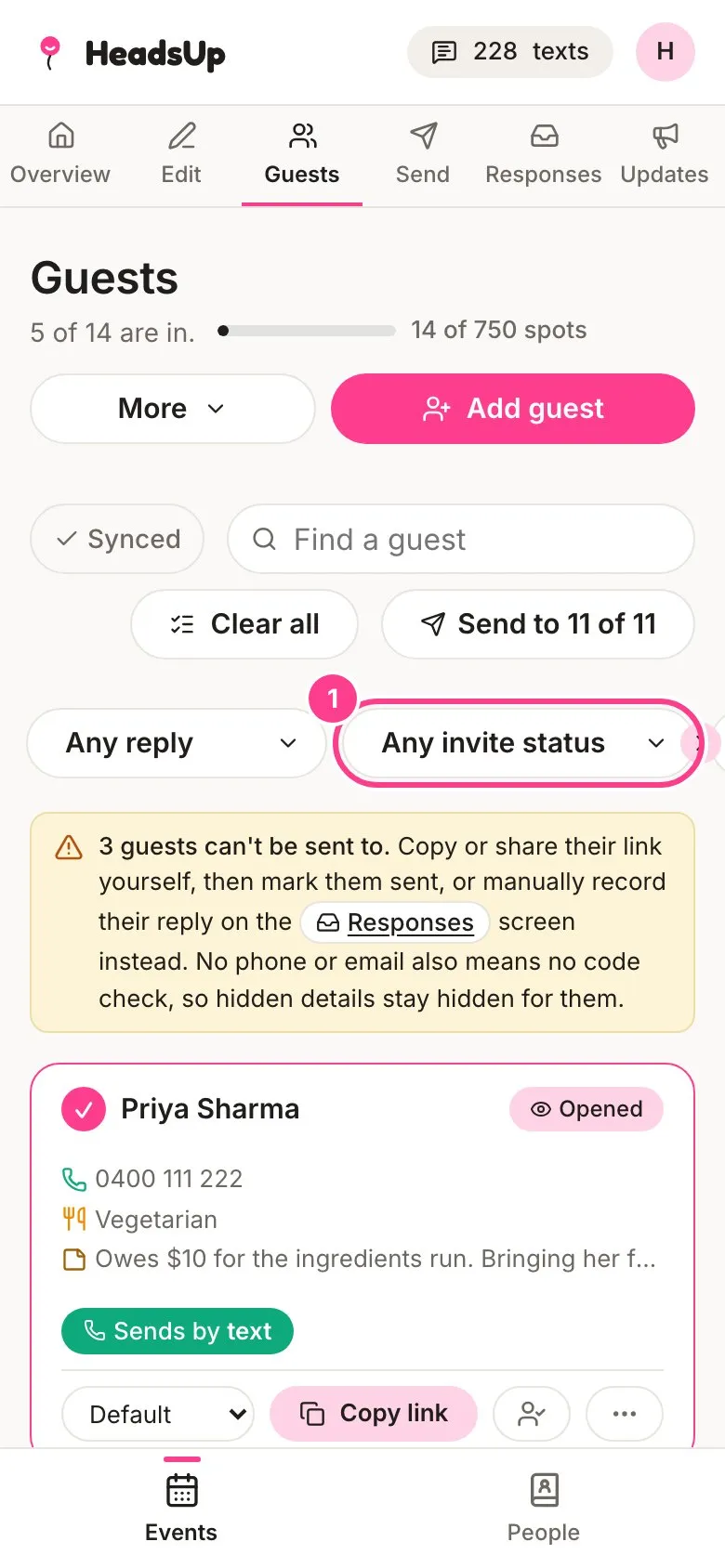
Every guest’s card on the Guests tab tells you where their invite is at: Not sent, Sent or Opened. If a text or email didn’t get through, the card says so in red.
-
On the Guests tab, tap Any invite status to show just the guests you’re after, such as Not sent, Sent, not opened or Delivery failed.
-
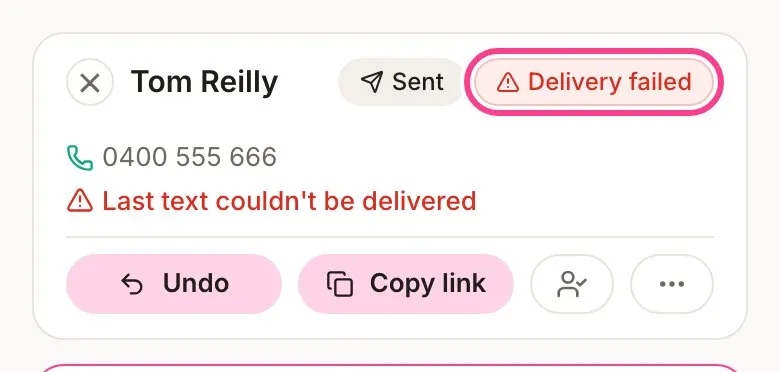
A guest whose invite didn’t arrive wears a Delivery failed tag, with the reason underneath, like Last text couldn’t be delivered or Email bounced.
-
Check the number or email with them, then edit the guest to fix it. Fixing it clears the warning, and you can send to them again. Or copy their link and send it another way.
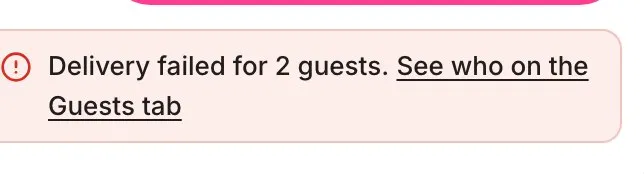
The Send tab also warns you when invites haven’t got through, with a link straight to the guests.
What the words mean
- Not sent means nothing has gone to them yet.
- Sent means their text or email went out. Right after a send, cards also show Sent, Skipped or Didn’t send. If the network reports a problem a few minutes later, Sent changes to Didn’t deliver.
- Opened means they’ve opened their personal link at least once.
- Delivery failed means the phone network or their email provider told us it didn’t arrive. That can come in a few minutes after the send.
Good to know
- A text the network reports as undelivered doesn’t cost you. Its texts go back to your balance.
- Until you fix the number or email, later sends skip that way of reaching them, so you don’t pay for texts that won’t land.
- A guest’s card also says if they’ve asked to stop texts or emails, like Opted out of texts. That’s their choice, and only they can turn it back on from their invite.
- Texts can’t tell us when they’ve been read, so Opened is the best sign someone’s seen it.
Didn't answer it?
Tell us what you were trying to do and we'll write back, or give our guide to your AI assistant and ask it.