How to buy texts
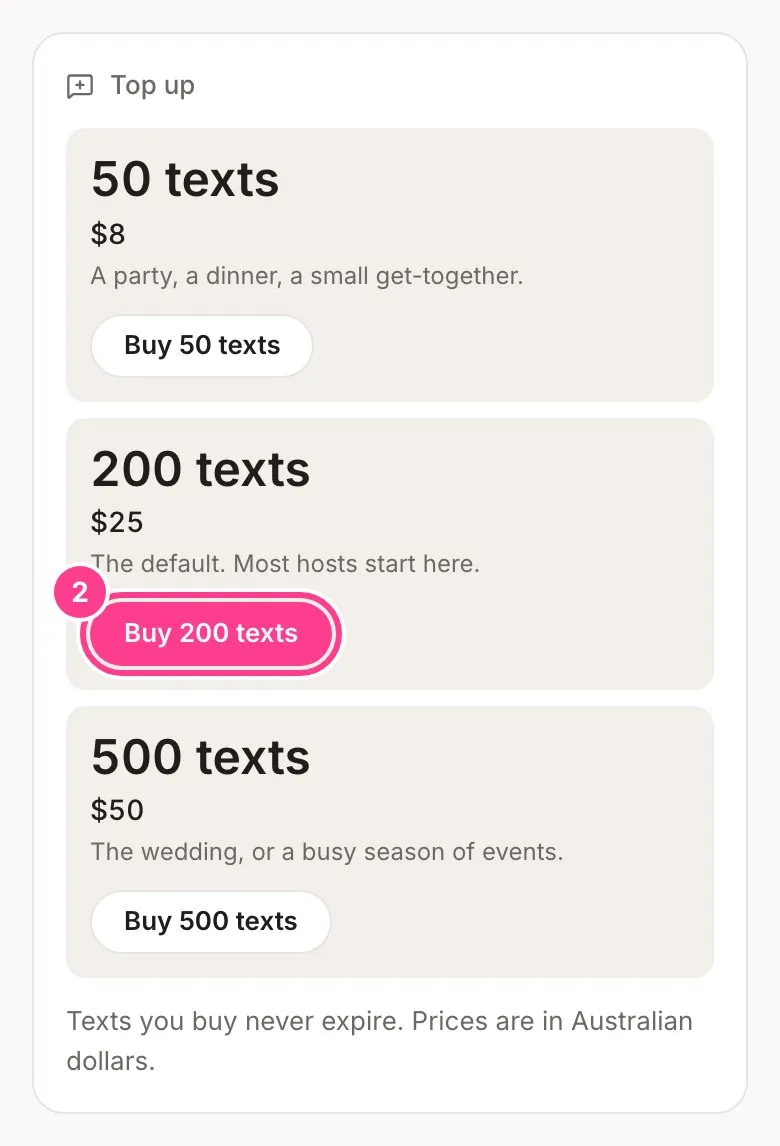
Top up with a pack of 50, 200 or 500 texts on any plan, Free included. Texts you buy never expire.
Every text HeadsUp sends for you, from invites to verification codes, comes off your texts balance. Paid plans include some every 30 days, and on any plan you can top up with a pack. Texts you buy are yours until you use them.
Before you buy, claim your first 25 texts free. Tap Claim 25 free texts on your events home, on the Send screen or on the Plan tab, enter your Australian mobile and type in the code we text you. The 25 texts land in your balance straight away and never expire. Each account can claim once, and each mobile once a year.
| Pack | Price |
|---|---|
| 50 texts | $8 |
| 200 texts | $25 |
| 500 texts | $50 |
-
Tap your initials in the top corner, then Account settings, then the Plan tab.
-
Under Top up, tap the pack you want, such as Buy 200 texts.
-
You’re taken to a secure checkout page run by Stripe, our payment provider. Enter your card, tick the box to accept the terms and pay. Changed your mind? Go back from the checkout page and nothing is charged.
-
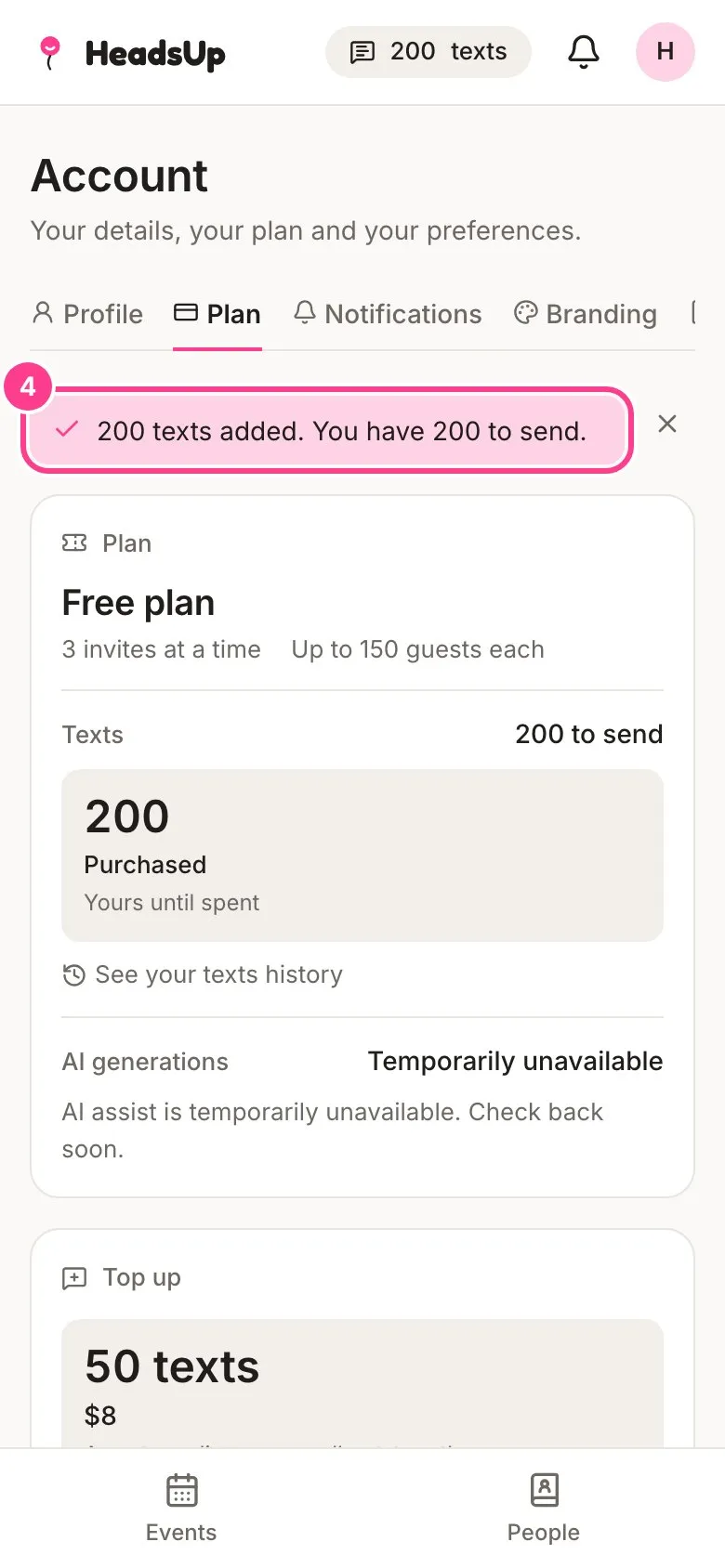
You land back on the Plan tab, where a note tells you how many texts were added and how many you now have to send.
Good to know
- Texts you buy never expire while your account is open. A plan ending doesn’t touch them.
- When you send, texts that came with your plan are used first, then the ones you bought.
- A text is one SMS of up to 160 characters. Longer messages, or ones with emoji, count as more than one. See how texts are counted.
- Email invites and email verification codes are always free.
- If a text doesn’t go through, the texts it used come back to your balance by themselves.
- Stripe emails your receipt. See billing history and receipts.
- Prices are in Australian dollars, and no GST is charged. Packs can’t be transferred to another account or swapped for cash.
- If the balance doesn’t show straight away, give it a minute. The note on the Plan tab says so while the payment is still coming through.
Didn't answer it?
Tell us what you were trying to do and we'll write back, or give our guide to your AI assistant and ask it.