How to cancel a renewal
Turn off a renewing plan any time. You keep every day you've paid for, and nothing you've built goes away when the plan ends.
You can stop a renewing plan whenever you like. Cancelling turns off the next charge. Your plan keeps running until the end of the 30 days you’ve already paid for, then it ends.
-
Tap your initials in the top corner, then Account settings, then the Plan tab. Your plan card shows the date it renews. Tap Manage renewal.
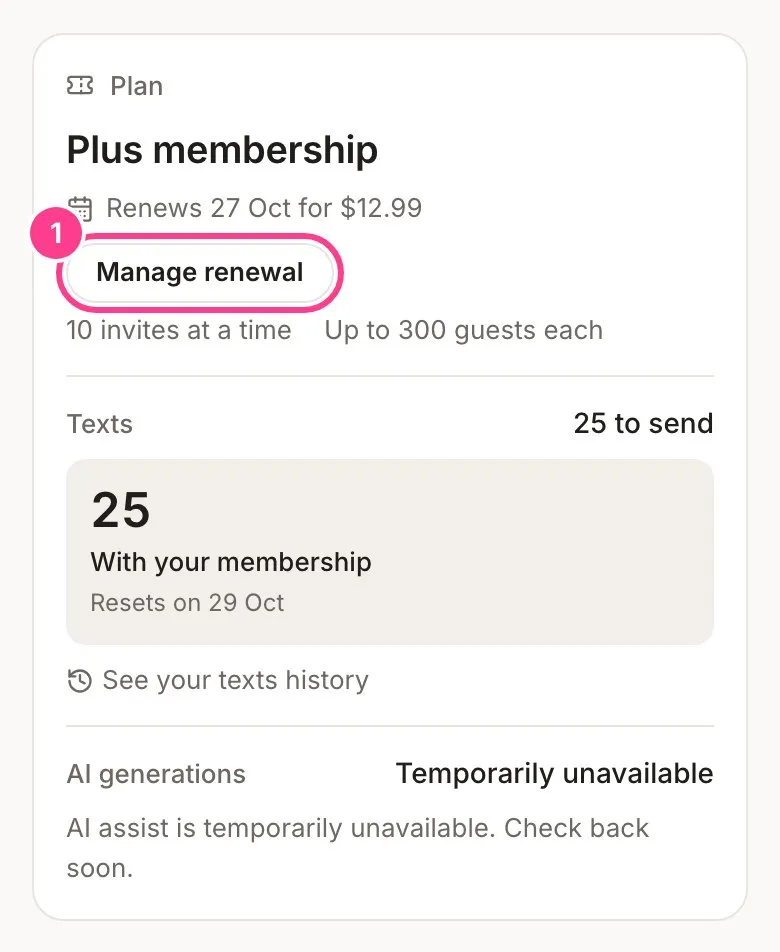
-
You’re taken to your billing page, run by Stripe, our payment provider. Choose to cancel your plan and confirm.
-
Head back to HeadsUp. Your plan card now says Renewal is off and the date your plan runs until.
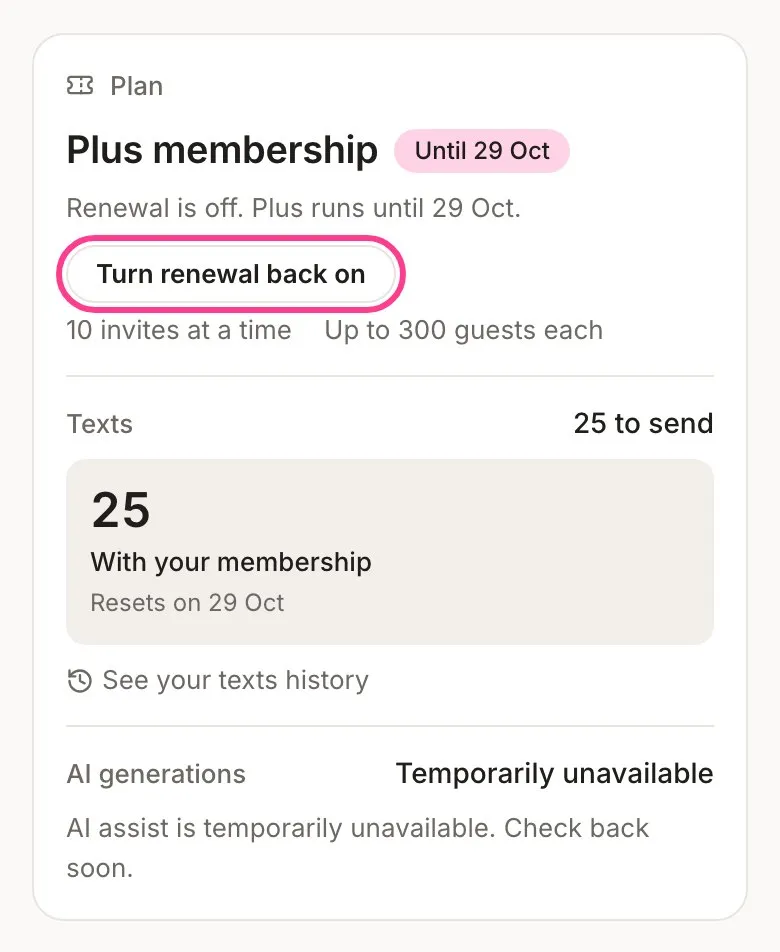
Changed your mind before the date? Tap Turn renewal back on. It opens the same billing page, where you can renew the plan, and it carries on as before.
What happens when a plan ends
Nothing you’ve built goes away. Invite pages stay up, links keep working, RSVPs keep landing, verification codes keep working, and updates, questions and plus ones keep arriving. Texts you bought in a pack stay yours and still send.
What changes:
- The texts and AI designs that came with the plan end with it.
- For 14 days after the plan ends, events you made on it keep that plan’s limits, so an event that’s in full swing isn’t cut off. Your plan card says the date this runs until.
- After those 14 days, your events follow the plan you’re on now. Everyone already on a guest list stays, and so do your co-hosts. What needs a bigger plan again is growing: adding guests past your plan’s limit, adding co-hosts, booking new scheduled sends and editing an invite’s link preview. A send that’s already scheduled keeps its time.
- You can have your plan’s number of events on the go. Events you already have stay, but you can’t start a new one while you’re over the limit.
If you were on a Business plan:
- The “Powered by HeadsUp” line comes back on your invites once the 14 days have passed.
- Your own domain is turned off once the 14 days have passed. Your invites keep working on headsup.rsvp.
- If you move to Plus or Pro instead, the line comes back straight away and your domain is turned off within a day.
- Importing from a CRM stops as soon as the plan ends. Everyone you already brought in stays, and you can still disconnect.
- Your do-not-contact list is still honoured on every event, and you can still see it and take people off it.
Good to know
- Cancelling doesn’t refund the days you’ve paid for. You keep using them instead.
- Want a cheaper plan? Turn renewal off, let the paid days run out, then start the plan you want.
- If a renewal charge fails, your plan card says so and shows an Update card button. We try the card again over the next two weeks, and your plan keeps running for the days you’ve paid for. If it still fails, the renewal stops and the plan ends when the paid days run out.
- Your receipts and invoices stay on the same billing page. See billing history and receipts.
- On a 30-day pass? There’s nothing to cancel. A pass ends on its own.
Didn't answer it?
Tell us what you were trying to do and we'll write back, or give our guide to your AI assistant and ask it.