How to start a paid plan
Pick Plus, Pro or a Business plan on the Plan tab, choose to renew or take a one-off pass, and pay by card.
A paid plan gives you more invites on the go, bigger guest lists, texts included every 30 days and more. You can start one any time from your account, and it applies to every event you have, including ones you made on Free.
-
Tap your initials in the top corner, then Account settings, then the Plan tab.
-
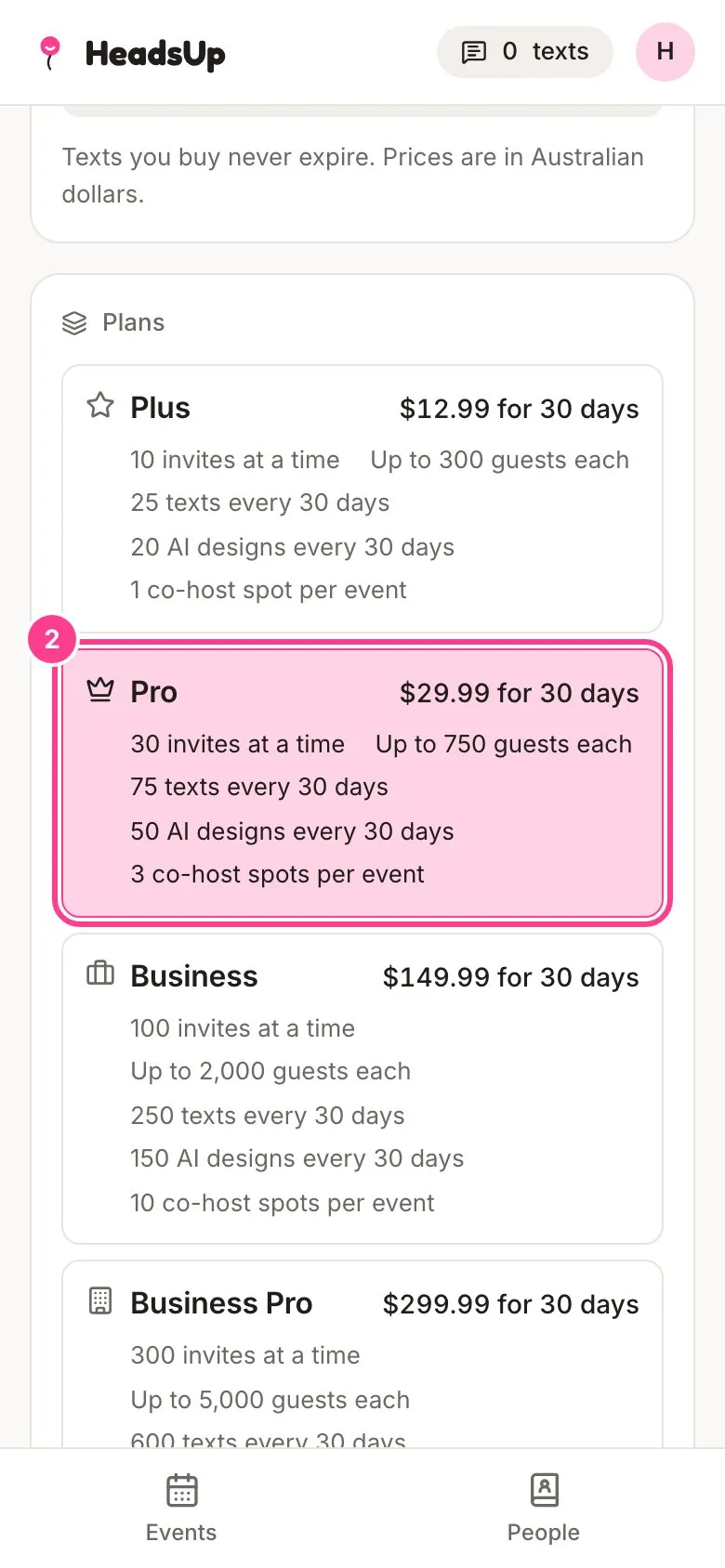
Scroll to Plans and tap the plan you want, such as Pro. Each one lists what it includes and its price for 30 days.
-
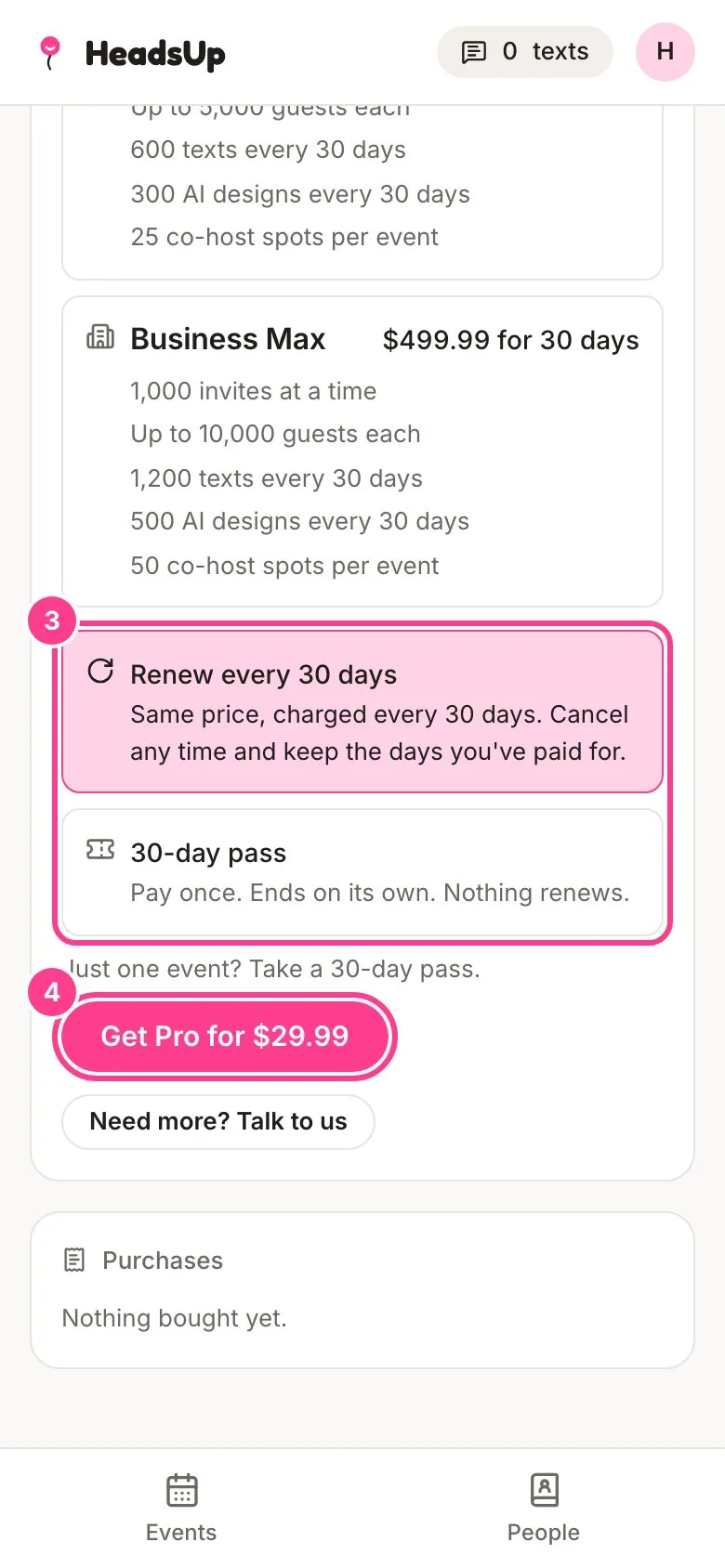
Under How to pay for Pro (it names the plan you picked), choose Renew every 30 days or 30-day pass. It’s the same price either way. Not sure? See pass or renewing.
-
Tap the pink button, such as Get Pro for $29.99.
-
You’re taken to a secure checkout page run by Stripe, our payment provider. Enter your card, tick the box to accept the terms and pay. Go back from the checkout page instead and nothing is charged.
-
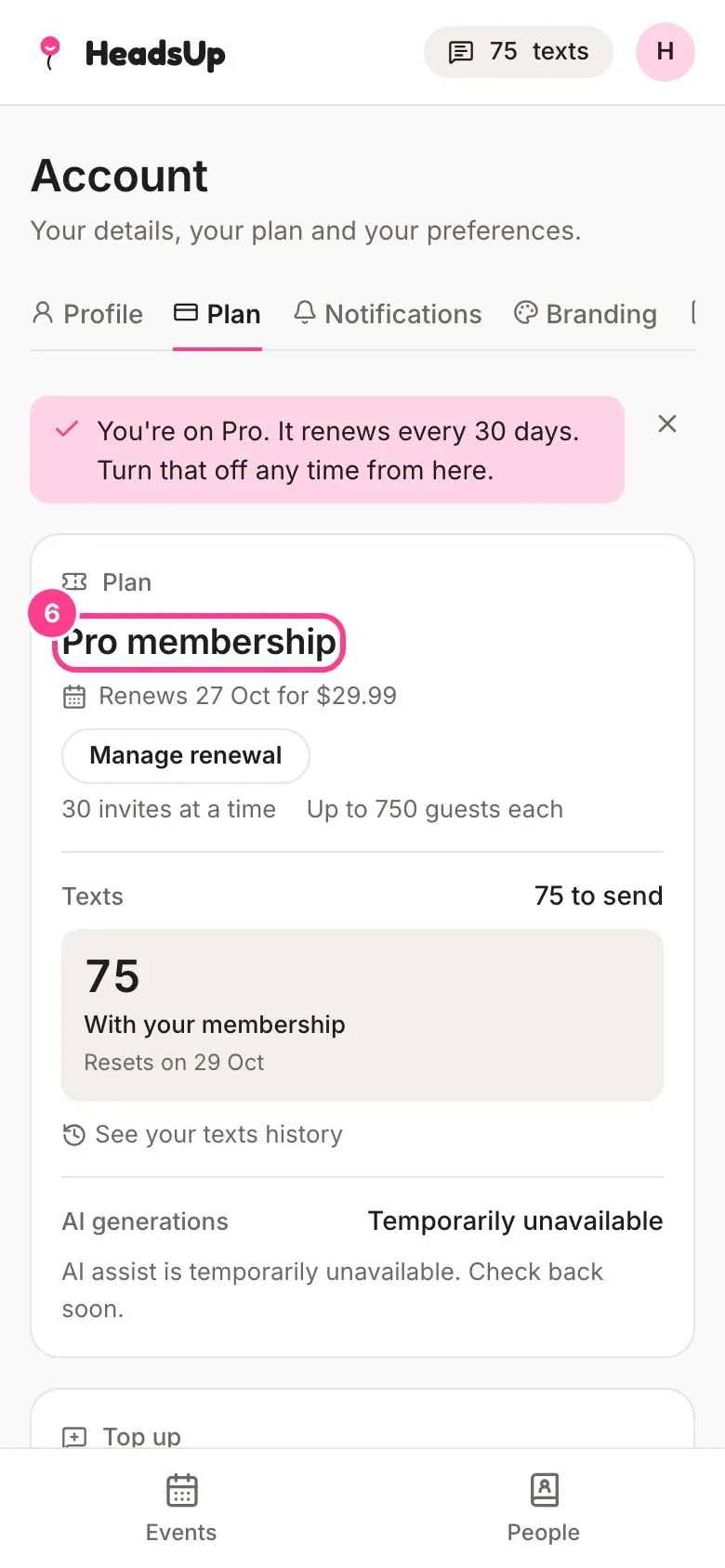
Back on the Plan tab, your plan card shows the new plan. A renewing plan is called a membership and shows the date it next renews. A pass shows the date it runs until.
Good to know
- The plan’s included texts land straight away, ready to send.
- Every event you already have moves up to the new plan’s limits.
- Already on a paid plan? You can move up to a bigger one. See move up a plan.
- Moving down to a cheaper plan waits until your current one ends. The Plan tab tells you the date the new plan can start from. If you’re renewing, turn renewal off first and let the paid days run out.
- While a renewal is live, even one you’ve turned off, you can’t buy a different plan. You can still move up from a renewal that’s still on.
- Buying the same plan’s pass again while one is running adds another 30 days to the end, and its included texts are added to what you have.
- On a pass and want it to keep going? Choose Renew every 30 days on the same plan. If there’s more than 26 hours left on the pass, the first charge is timed for 24 hours before the pass ends, so you never pay twice for the same days. With less time left than that, renewing starts straight away. If you’ve stacked passes and more than 30 days are left, the Plan tab tells you the day you can turn renewal on from.
- Prices are in Australian dollars, and no GST is charged. Stripe emails your receipt.
Didn't answer it?
Tell us what you were trying to do and we'll write back, or give our guide to your AI assistant and ask it.