How to move up to a bigger plan
Move up from Plus to Pro or a Business plan mid-way. Renewing plans pay only the difference, and passes refund their unused days.
Outgrown your plan? You can move up to a bigger one without waiting for the current one to end. How it works depends on whether you’re renewing or on a 30-day pass.
If you’re renewing
You keep your renewal date and pay only the difference for the days that are left.
-
Tap your initials in the top corner, then Account settings, then the Plan tab. Under Plans, tap the bigger plan you want.
-
Tap Move up to Pro (it names the plan you picked).
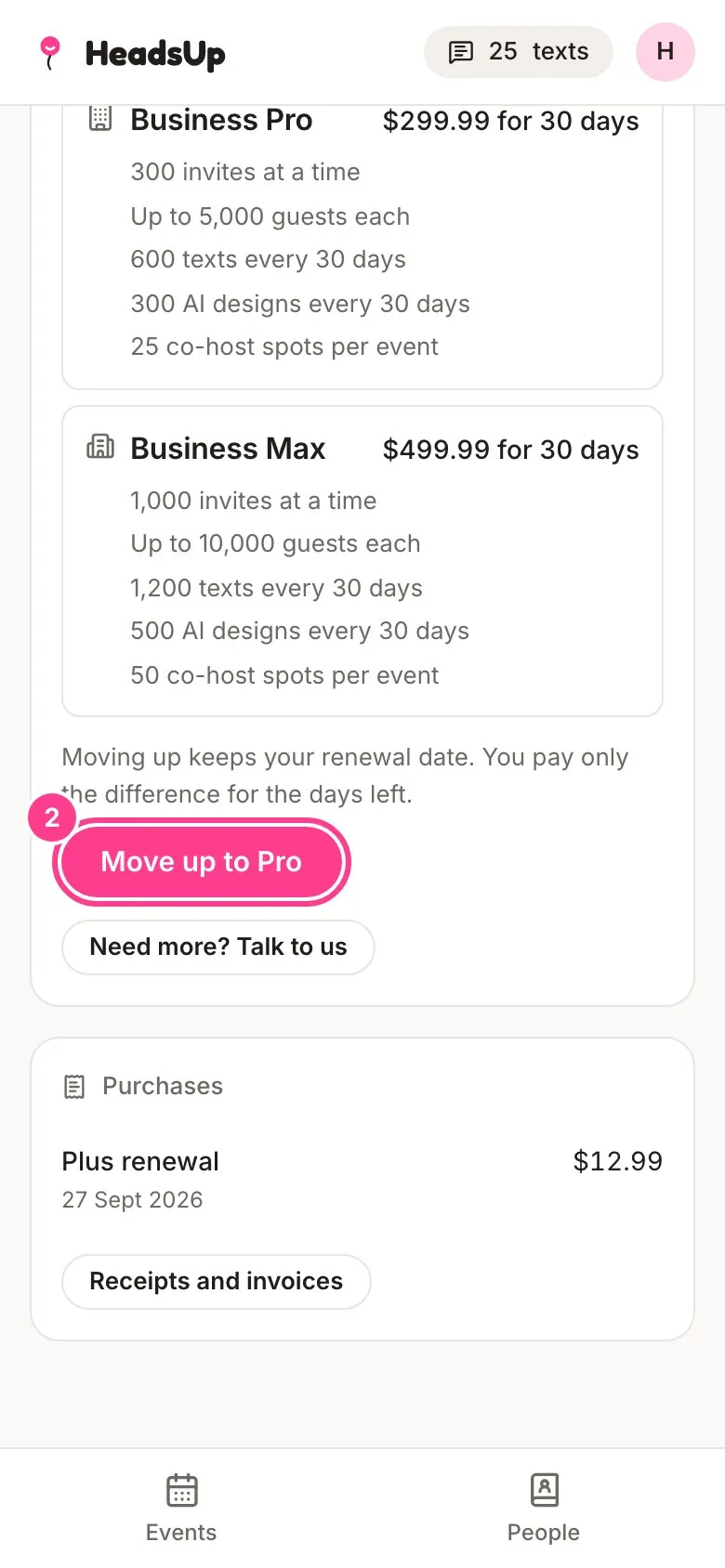
-
HeadsUp shows you exactly what you’ll pay today, for how many days, and what each renewal costs from then. Tap Move up to Pro to pay it with the card you already use.
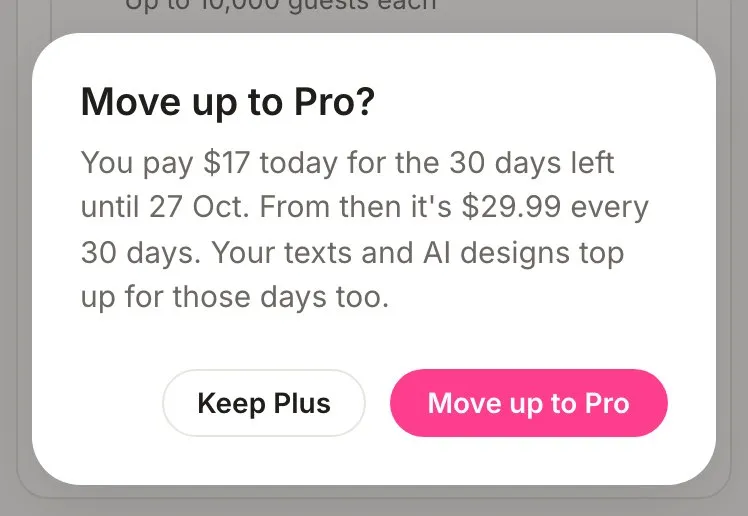
Your new plan starts straight away. Your included texts and AI designs top up in proportion to the days left, and your next renewal is at the new plan’s price, on the same date as before.
If you’re on a 30-day pass
You buy the bigger plan’s pass at full price, and we refund the unused whole days of the pass you’re leaving.
-
On the Plan tab, tap the bigger plan under Plans.
-
Under How to pay for Pro (it names the plan you picked), tap 30-day pass. The line under it tells you how many unused days we’ll refund and how much.
-
Tap the pink button, such as Get Pro for $29.99.
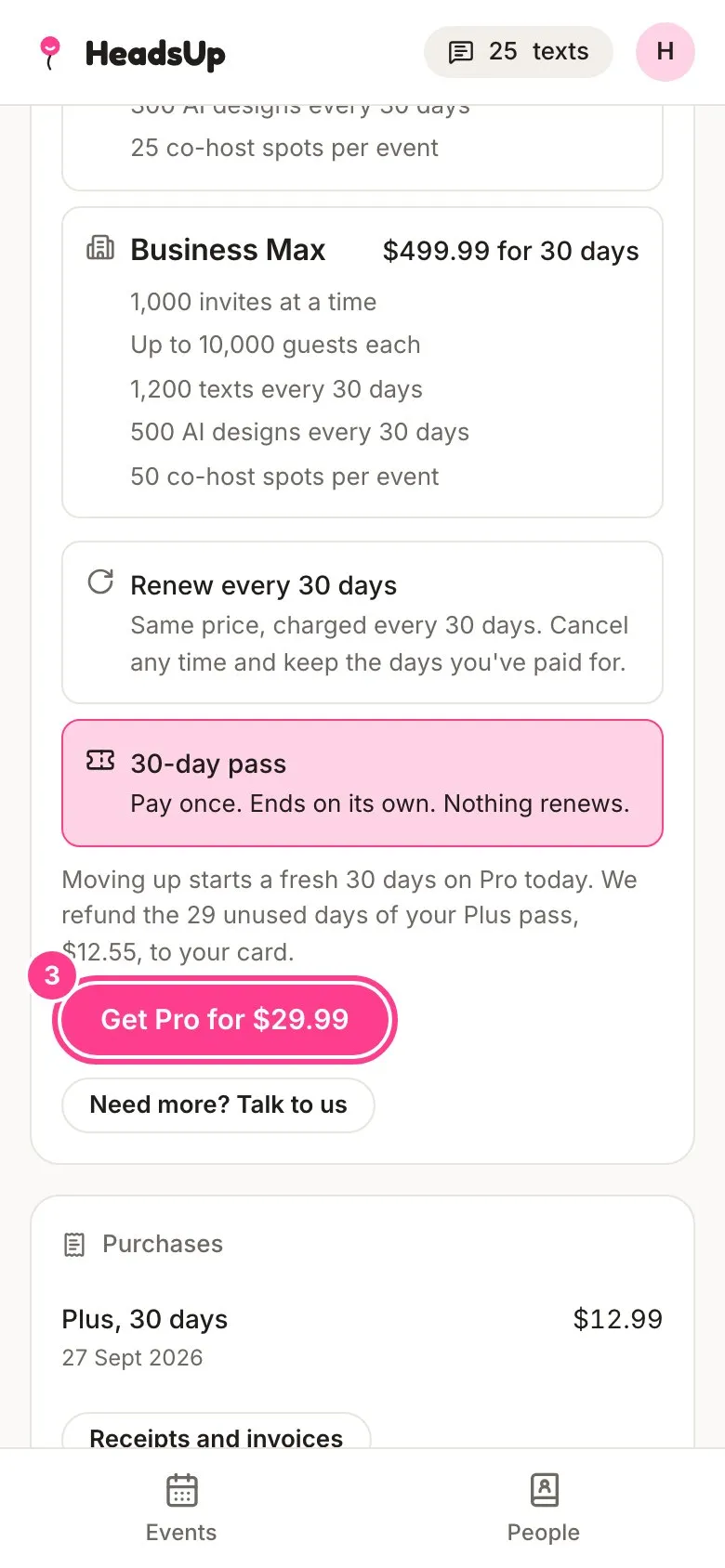
-
Check the details and tap Get Pro for $29.99 again, then pay on the secure Stripe checkout page.
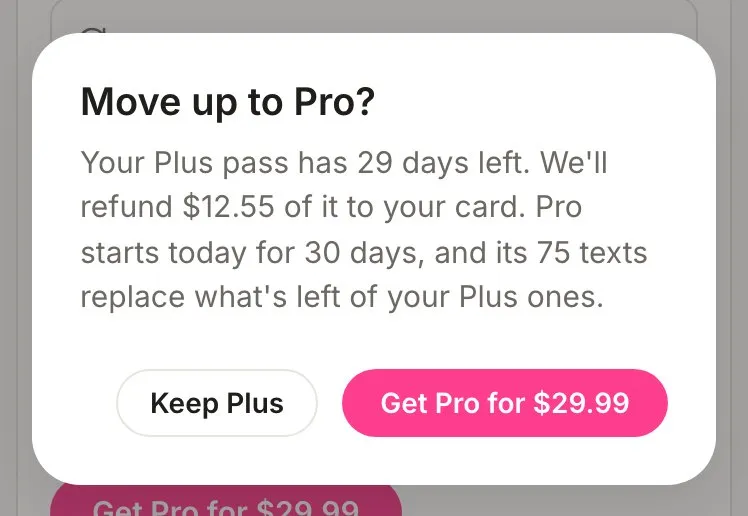
The new plan starts a fresh 30 days from today, and the refund goes back to the card that paid for the old pass. It can take several days to show on your statement.
How the pass refund is worked out
The old pass’s price, divided by 30, times the whole days it had left, rounded down to the cent. The day you move up isn’t counted. For example, moving up from a Plus pass ($12.99) with 29 whole days left refunds $12.55.
Good to know
- On a pass, the new plan’s included texts replace what was left of the old pass’s included texts. Texts you bought in a pack are never touched, whichever way you move up.
- On a pass, choosing Renew every 30 days for the bigger plan instead also works, but then nothing is refunded and the old pass’s days don’t carry over. The app says so before you pay.
- If you had a renewal waiting to start after your pass, it moves to the new plan and first charges the day before the new plan ends. A renewal you’d turned off stays off.
- If you’ve stacked more than one pass, only the most recent one is refunded, up to its 30 days.
- There’s no refund on a pass we gave you for free.
- Moving up a renewal needs the renewal to be on and paid up, with at least an hour left before it renews. If you’ve turned renewal off, you can take a bigger plan once the paid days run out.
- The amount you’re quoted holds for 15 minutes. If you leave it longer before you confirm, HeadsUp gets a fresh quote and asks you again.
- If your card is declined when moving up a renewal, nothing changes. Update your card under Manage renewal and try again.
- Moving down to a cheaper plan waits until your current plan ends. See cancel a renewal.
Didn't answer it?
Tell us what you were trying to do and we'll write back, or give our guide to your AI assistant and ask it.