How to vote, bring a dish, claim a job or chip in
Vote in a poll, add what you're bringing, put your name on a job or mark that you've chipped in, all from your invite.
Hosts can ask for a bit more than a yes or no. Your invite might have a poll to vote in, a potluck list, jobs that need doing, or a chip-in for costs. You’ll often find these on their own tabs, like Playlist or Bring a plate, along the row under the reply buttons. They can also turn up in an update the host posts later.
-
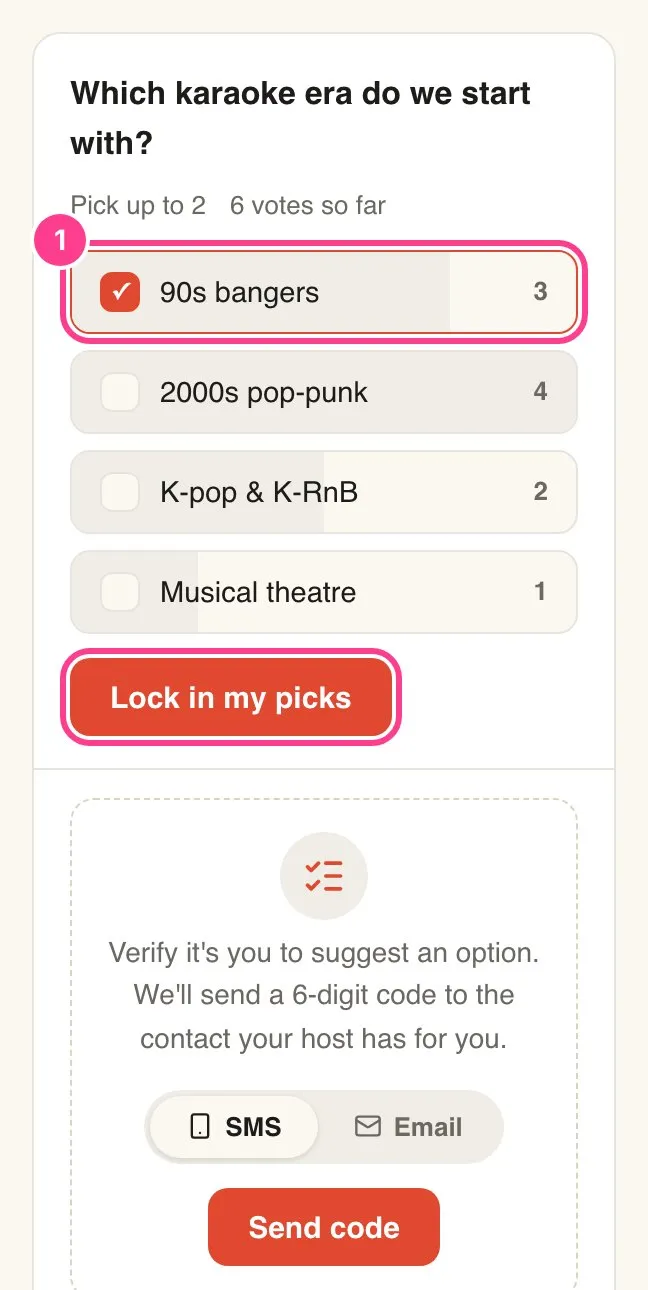
Vote in a poll. Tap your pick. If you can only choose one, that’s it, your vote counts straight away. If you can choose a few, the card says how many, like Pick up to 2. Tap each one, then tap Lock in my picks. You’ll see Counted! once it’s in.
-
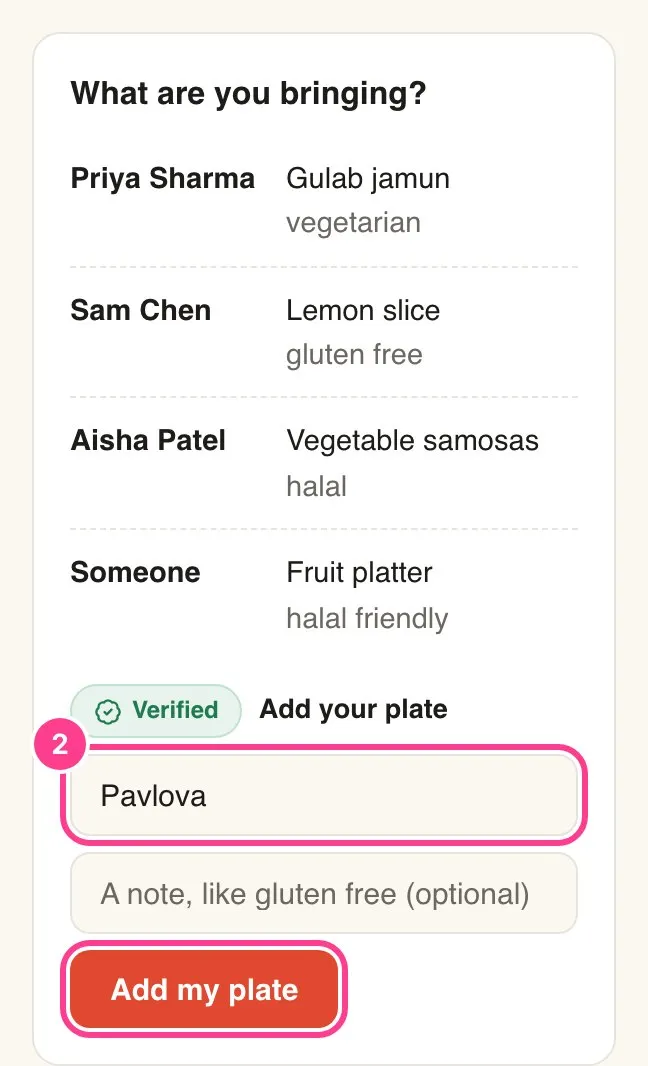
Bring a dish. Under Add your plate, type what you’re bringing, add a note if it helps, like gluten free, and tap Add my plate. It joins the list, so nobody ends up with five pavlovas.
-
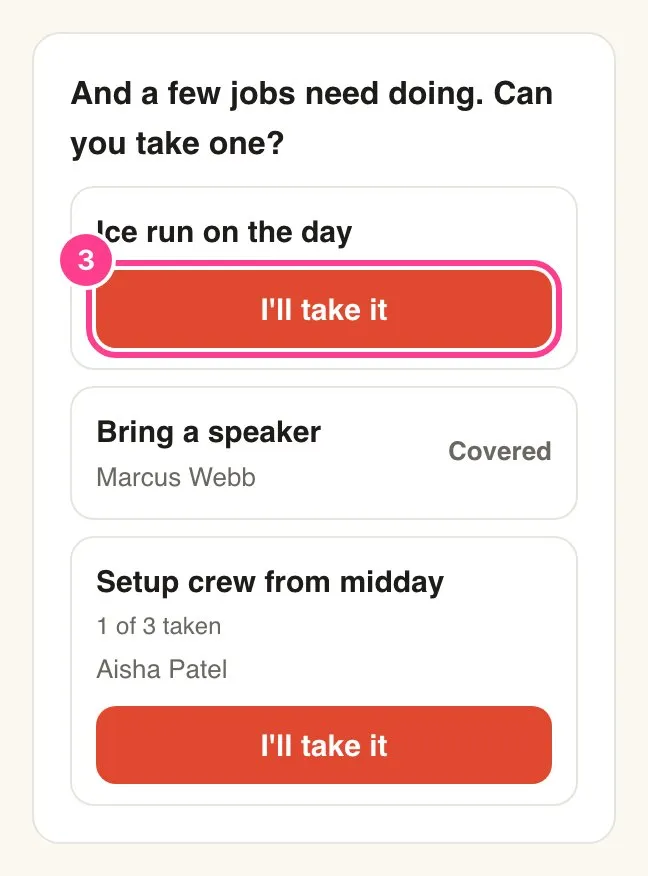
Claim a job. Tap I’ll take it next to a job to put your name on it. Changed your mind? Tap Hand it back. A job that’s full says Covered.
-
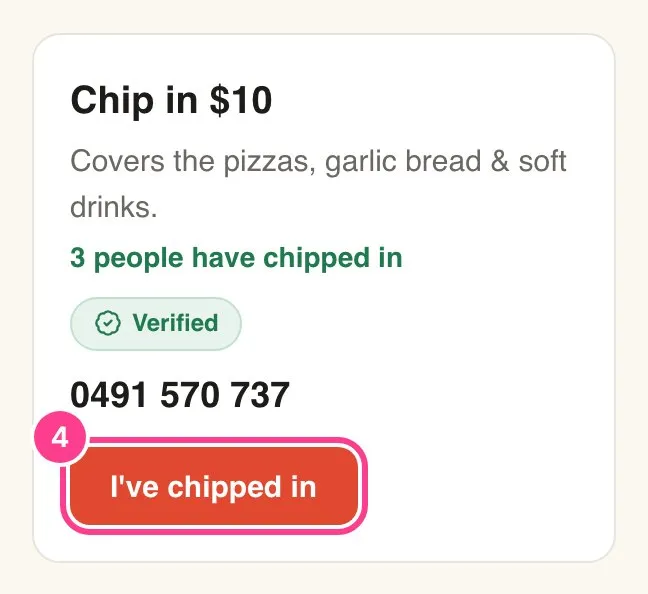
Chip in. The chip-in card shows how much and what it’s for. Once you’ve confirmed it’s you, you’ll see how to pay the host, like their PayID. Pay them the way they’ve asked, then tap I’ve chipped in so they know. Tap Take it back if you tapped it by mistake.
Good to know
- Voting never needs a code, unless the poll sits on a tab the host has locked. Adding a dish, claiming a job, chipping in and suggesting your own poll option do, the first time on each device. Here’s why you’re asked for a code.
- You can change your vote any time. Tap a different option, or change your picks and tap Update my picks.
- Suggest an option shows under a poll only when the host allows it. Your suggestion is added for everyone to vote on.
- Who sees what. Other guests see the dishes and jobs with names beside them. If you’ve hidden your name on your reply, you show as Someone. Poll votes show as counts, never names, and the host can hide the counts. For chip-ins, other guests only see how many people have chipped in, never who.
- HeadsUp doesn’t take payments. The money goes straight from you to the host. I’ve chipped in is just a tick to let them know.
- Need to change a dish you’ve added? You can’t remove it yourself, so ask the host to take it off, then add the new one.
Didn't answer it?
Tell us what you were trying to do and we'll write back, or give our guide to your AI assistant and ask it.