How to change your name, email or password
Update your name and password from your Account page, or reset a forgotten password with a code we email you.
Your name, your sign-in email and your password all live on the Profile tab of your Account page. Here’s how to change them, and what to do if you’ve forgotten your password.
Change your name
-
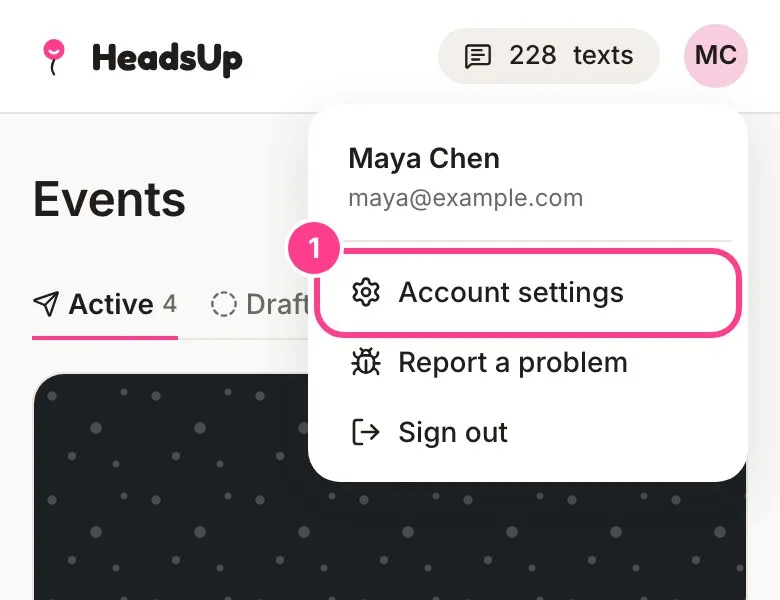
Tap your initials in the top corner, then Account settings.
-
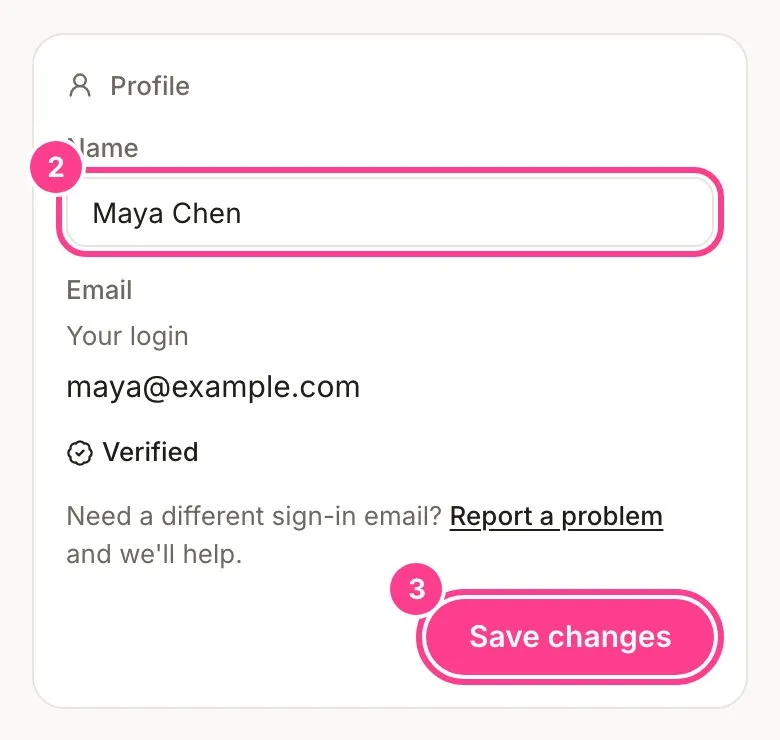
On the Profile tab, type your new name under Name.
-
Tap Save changes.
Change your password
-
Further down the Profile tab, in the Password card, type your Current password, then your new one in New password and again in Confirm new password.
-
Tap Change password.
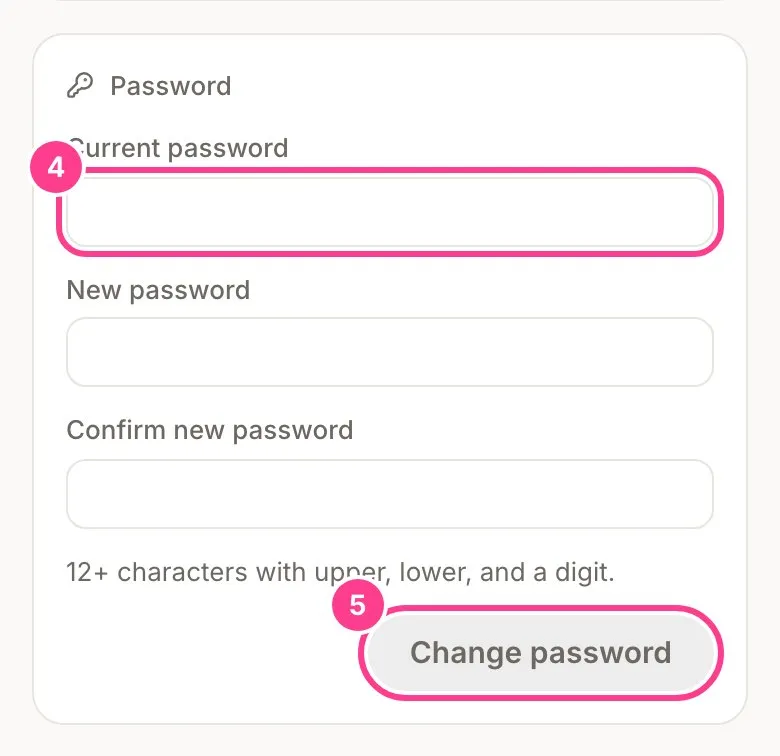
Your new password needs at least 12 characters, with an uppercase letter, a lowercase letter and a number. Changing it signs you out everywhere else, your phone included. You stay signed in on the device you changed it on.
Forgotten your password?
-
On the sign-in screen, tap Forgot your password?
-
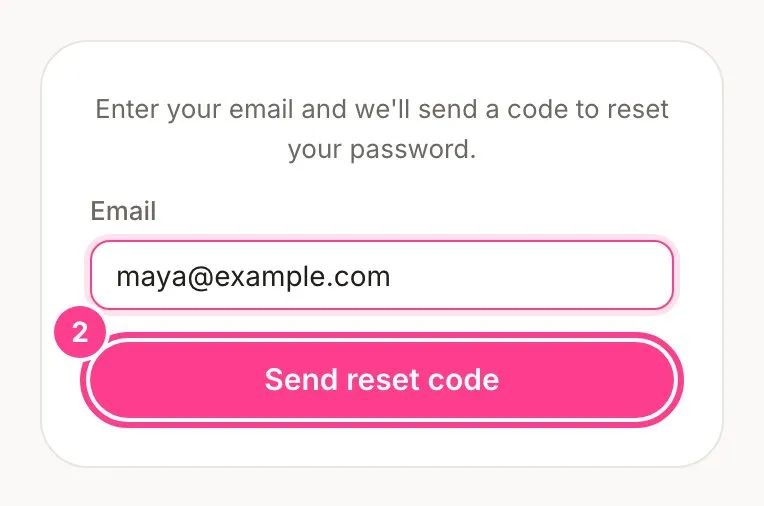
Type the email you sign in with and tap Send reset code.
-
Check your inbox for a 6-digit code. Type it into 6-digit code, choose a New password, and tap Set new password.
-
Sign in with your new password. If you think somebody else was signed in as you, tap Sign out everywhere on the same screen to end every other session.
Good to know
- Changing your sign-in email isn’t possible yet. Your Profile tab shows the email you sign in with, but you can’t edit it there. If you need a different one, tap Report a problem under it and we’ll help.
- If your email shows as not verified, tap Send a verification code, type the code we email you, and tap Verify. You need a verified email to accept a co-host invitation.
- No reset code in your inbox? Check your spam folder, or tap Resend the code.
Didn't answer it?
Tell us what you were trying to do and we'll write back, or give our guide to your AI assistant and ask it.